Running low on inventory for a Kit or Bill of Materials (BOM) product? You can quickly reorder the needed components right from the Kit/BOM tab on the Product Detail page!
How to reorder Kit or BOM products
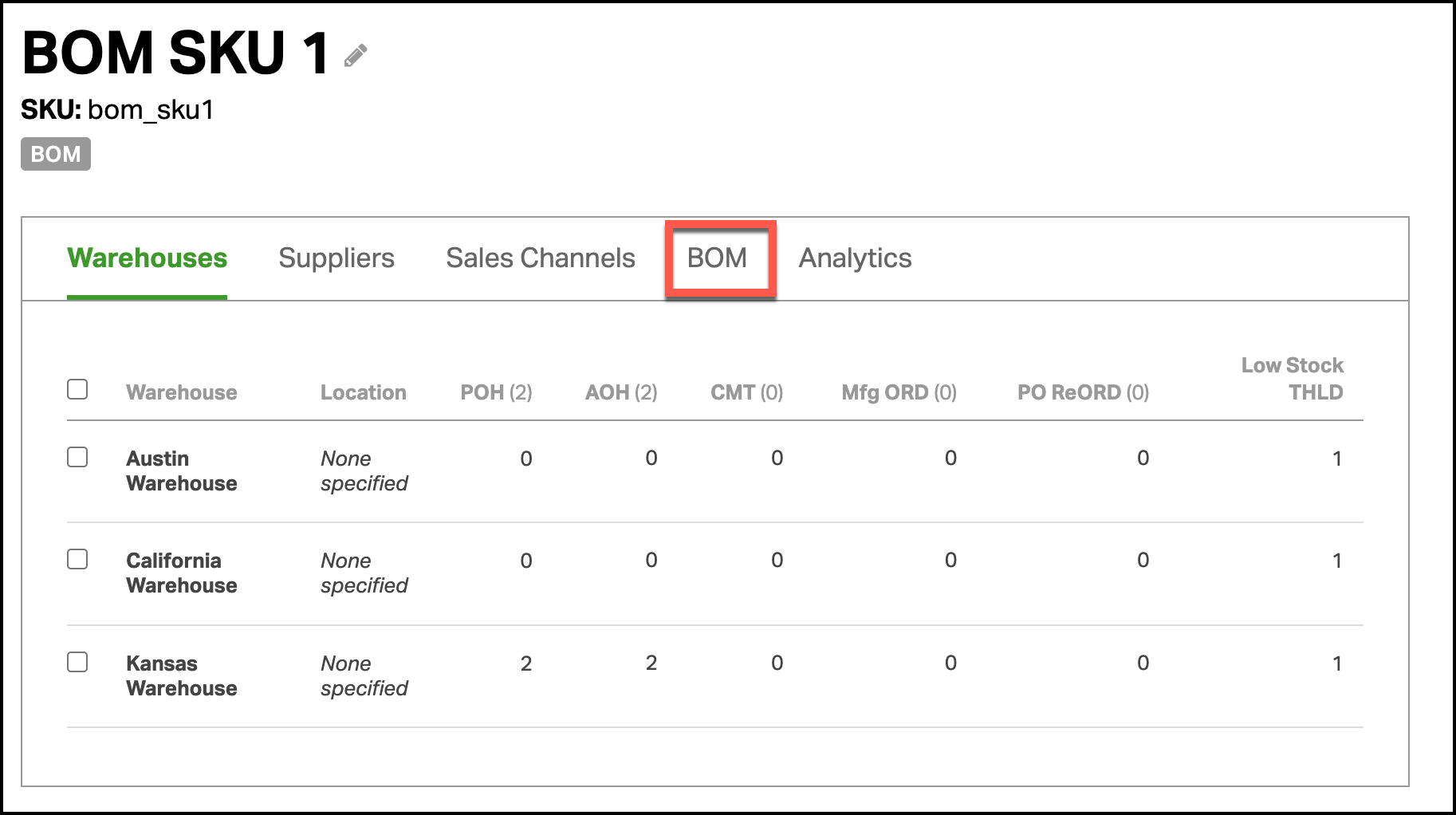
- Go to the Product Detail page of a kit or BOM product. Then click the Kit or BOM tab to view the component SKUs.
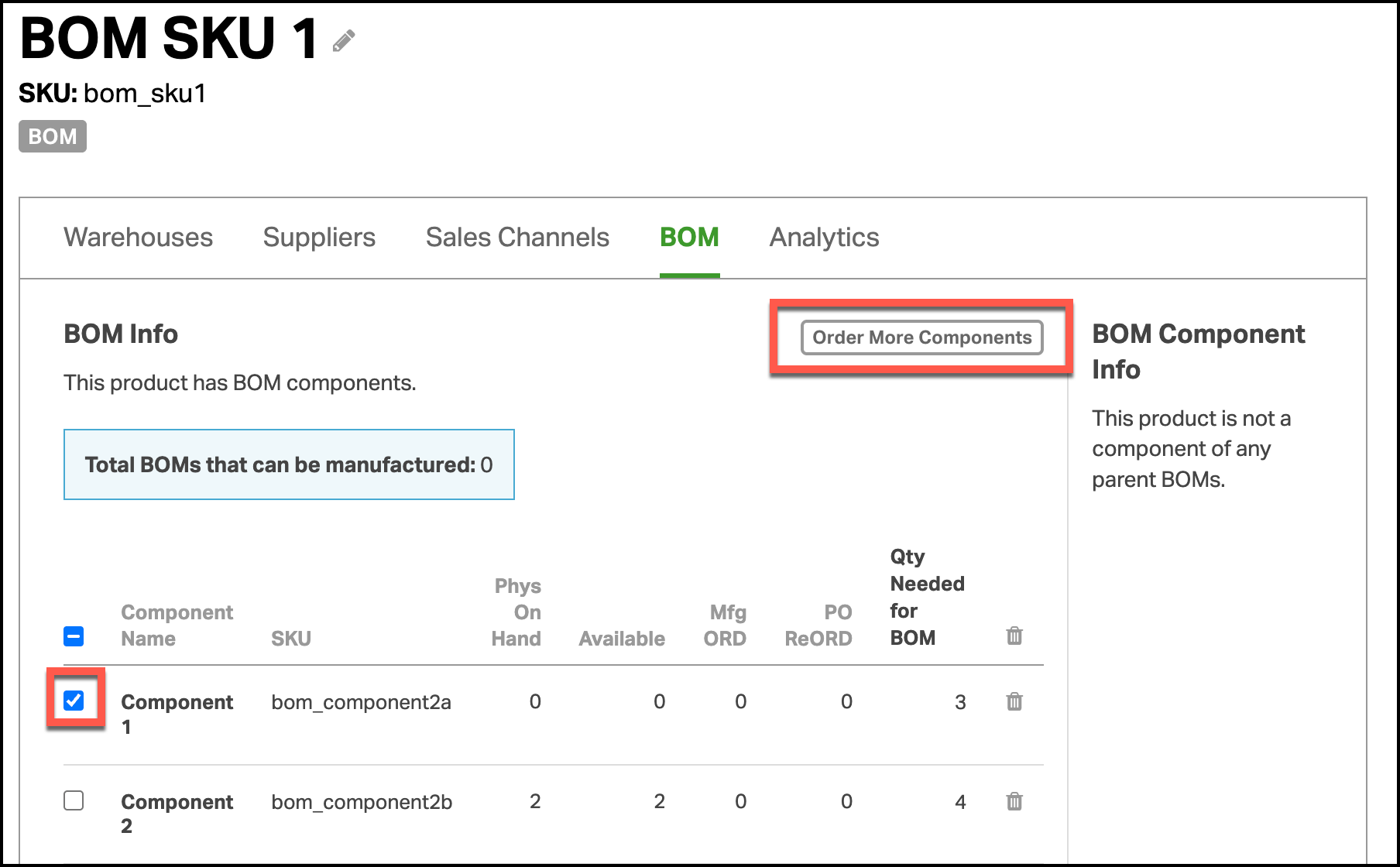
- Check the box next to the component(s) to reorder. Then click Order More Components.
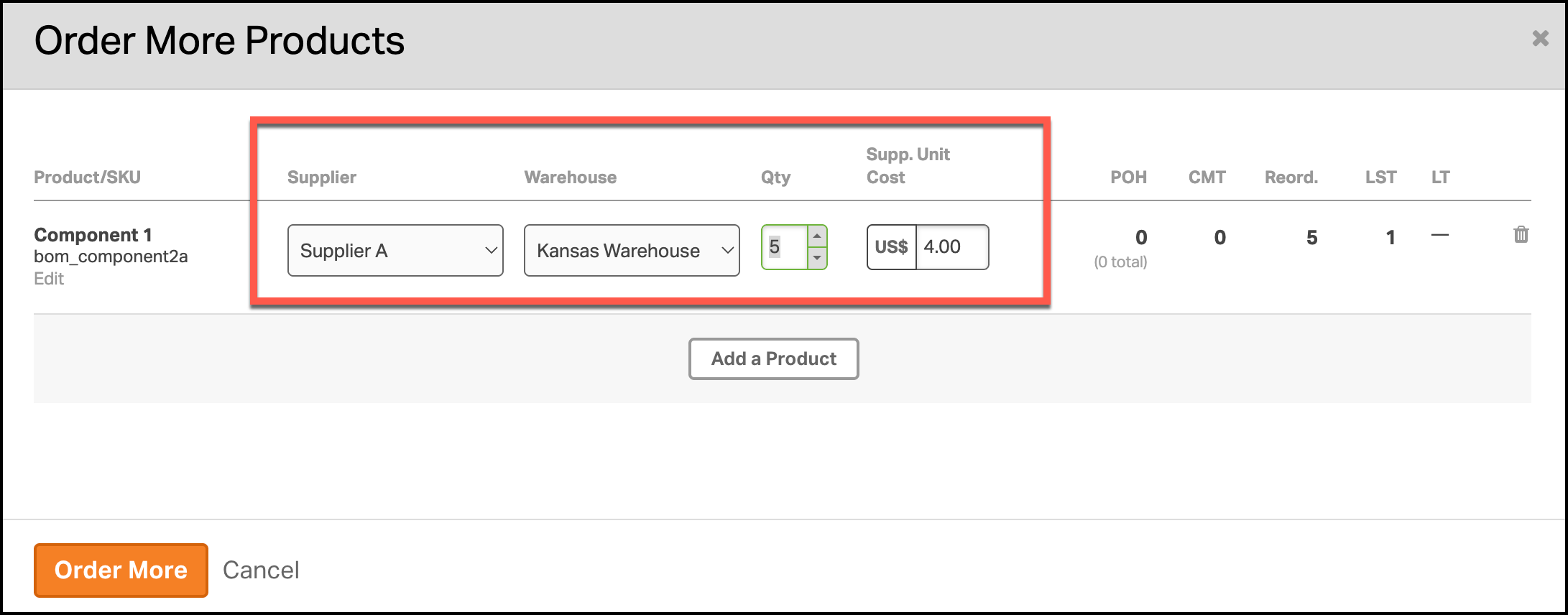
- The Order More modal will pop up with the selected SKUs.
- If a default supplier is already set for that SKU, their details will auto-fill.
- Review the information, update quantities as needed, and click Order More.
- This action will create a Purchase Order (PO) with the selected supplier.
- Need help managing your POs? Check out this article.