
Yes! You can sort and filter your orders by Deliver or Ship by Date to help you fulfill your orders that have a fulfillment deadline.
Sort: Deliver/Ship by Date (Newest) and Deliver/Ship by Date(Oldest)

Filter by Date Range: Deliver/Ship by Date
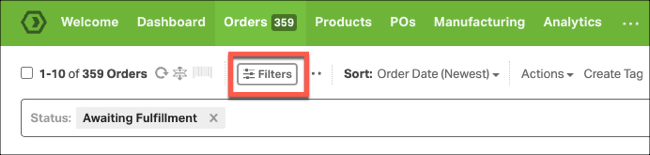
1. Click on the Filters button on the Orders tab.
2. In the Filters Modal, scroll down ot Date Range, and select Deliver By or Sort By Date:
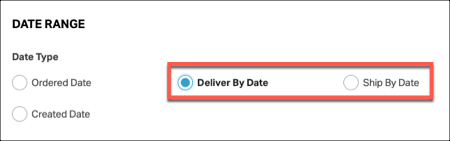
- You’ll see the Ship By Date and Deliver By Date date filters available in the Awaiting Fulfillment, Shipped, Dropshipment Requested, Cancelled, On Hold and All views.
- You must have orders with Ship By or Deliver By dates for this filter to display.
3. Scroll down to Interval, then select either:
- A standard interval (Hour, Day, Week, Month) from the dropdown:
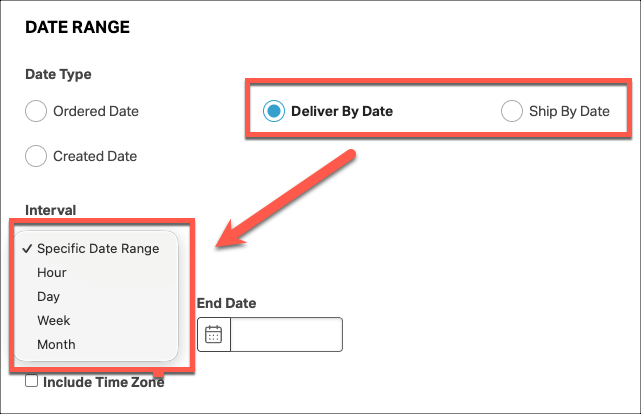
- Or a custom interval from a date range:

If you would like to know how else you can sort and filter orders, please see this support article.