
You can customize the Settings in Ordoro to keep your most-used Settings easy to access in the Account Settings dropdown.
Your Settings are saved per user, so each user on the same Ordoro account can have their own layout.
If you would like to customize the top navigation in Ordoro, please see this support article.
Customize your Settings shortcuts
To customize the Account Settings dropdown:
1. Go to Your Company > Account Settings.
2. On the left panel, you’ll see each item has a pin. When you select the pin, the item will be added to the Account Settings dropdown.
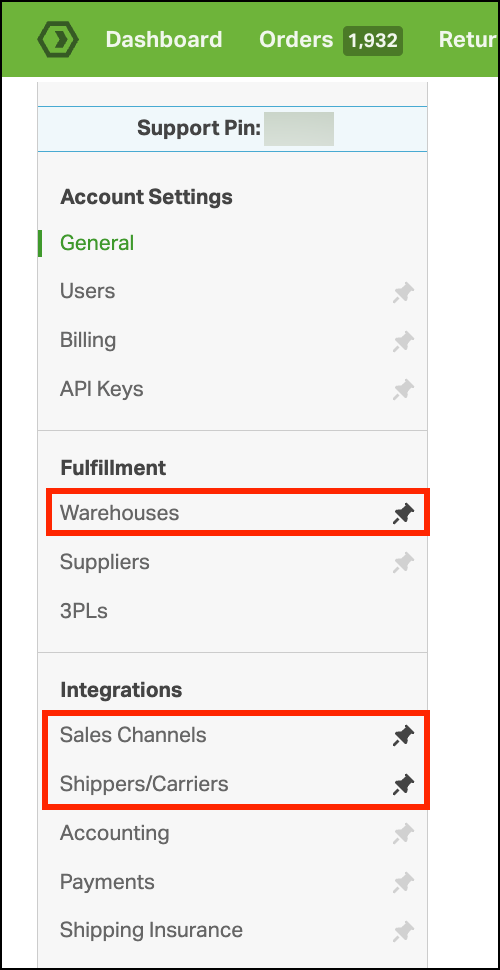
You’ll see these options were added to the account settings dropdown.
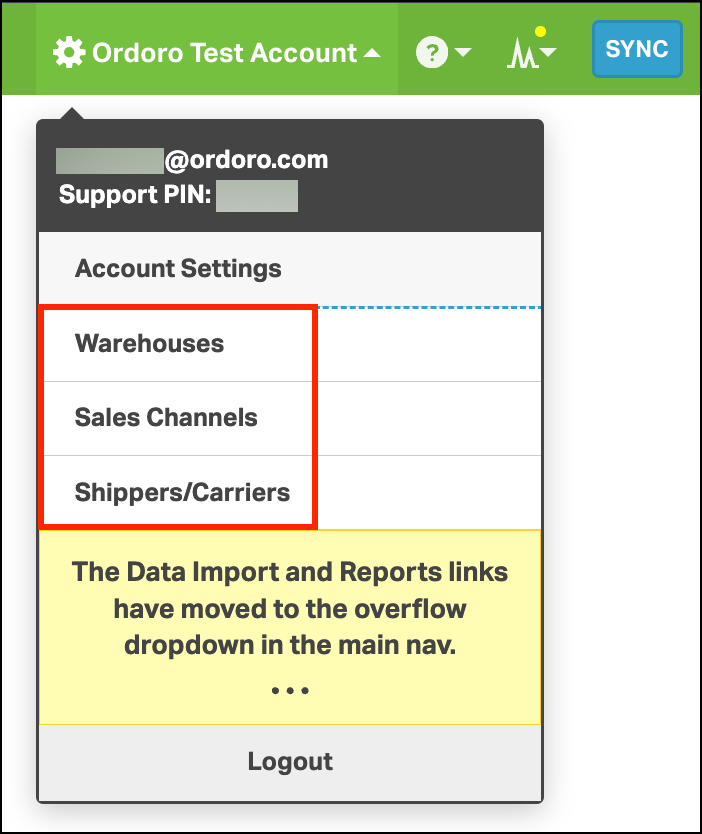
To remove any items, deselect the pin icon next to the item in the Settings list.