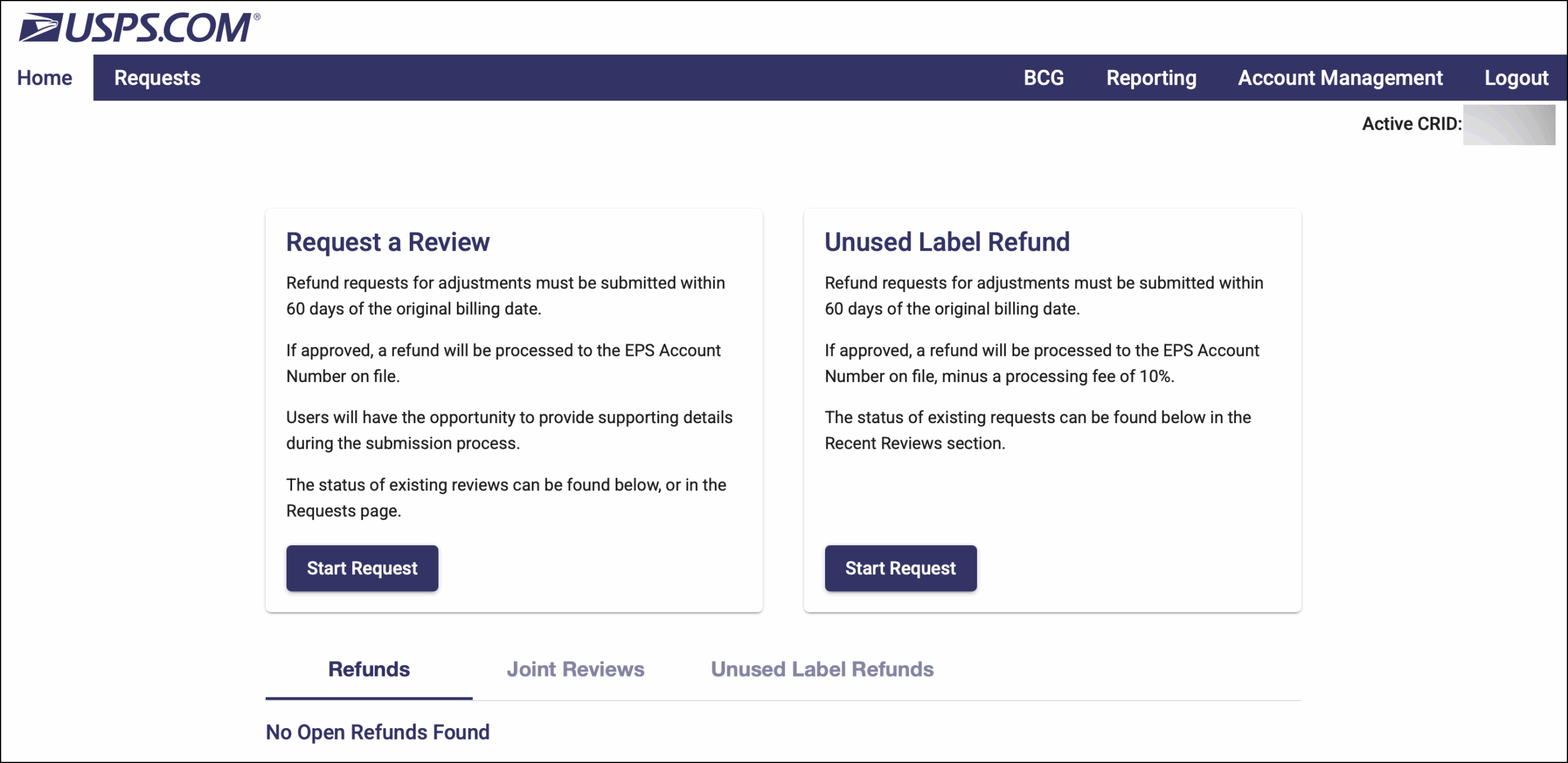
You can access your APV adjustments in your USPS Business account. See the article below.
On August 15, 2017, USPS started handling underpaid and overpaid labels with the Automated Package Verification (APV) system. The USPS APV program verifies if correct postage has been paid on domestic packages based on weight, dimensions, package type, mailing service, and the origin and destination ZIP codes.
If you do not have a USPS Business account, please review this support article or contact Ordoro Support for assistance.
Topics
- How will I receive APVs from USPS?
- How do I access the Census Verification Report?
- If an APV results in an additional amount owed, will USPS charge the card or ACH account on file in the USPS Business account?
- If an APV results in a refund due, will USPS credit the card or ACH account on file?
- If you want to dispute an APV, where do you go to complete this process?
How will I receive APVs from USPS?
- You can view your adjustment details under USPS Ship Reports in the Census Verification Report – see below for steps. Please note you will not be directly notified when an adjustment has been applied to a package.
How do I access the Census Verification Report?
1. Log into your USPS Business Gateway account. At the top, go to Shipping Services.

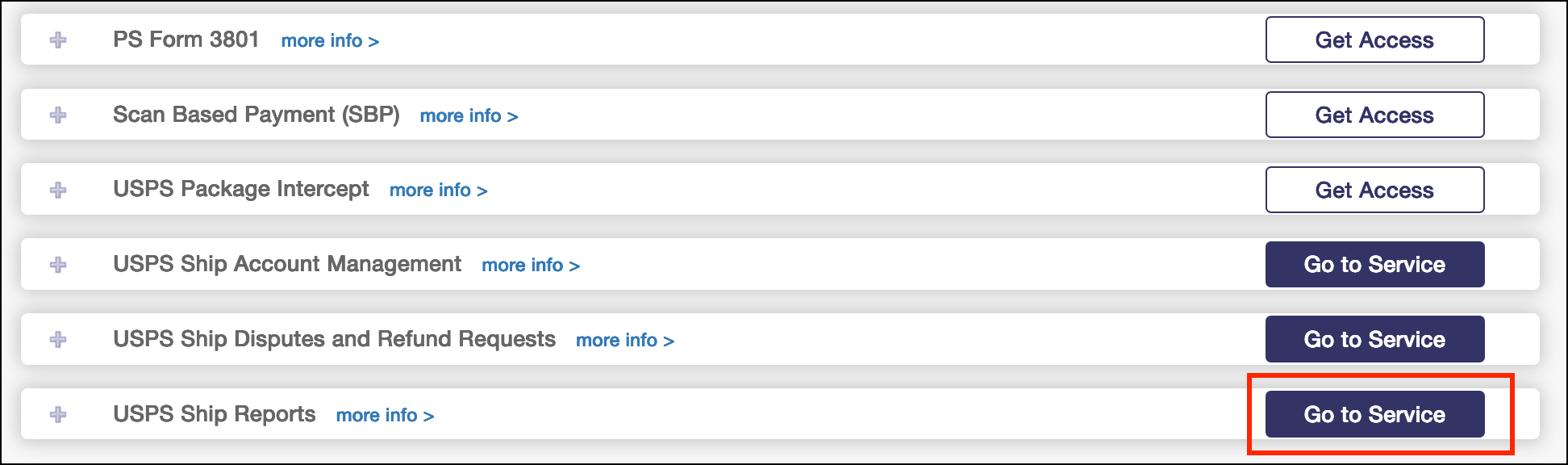
2. Go to USPS Reports and select Go to Service.
3. Under the Reports dropdown, select Census Verification.

4. To download this report, select CSV or Excel. Once the download is ready, select the download icon.

If an APV results in an additional amount owed, will USPS charge the card or ACH account on file in the USPS Business account?
- You will be charged to the payment method on file in your USPS Business account.
If an APV results in a refund due, will USPS credit the card or ACH account on file?
- Yes, USPS will refund to the payment method on file in your USPS Business account.
If you want to dispute an APV, where do you go to complete this process?
- You can log into your USPS Business account and request a review of your adjustment.
1. Go to Shipping Services.
2. Find USPS Ship Disputes and Refund Requests and select Go to Service.

2. You can start a request on this screen and review existing requests.