
USPS Ship uses a setting called Anticipated Daily Spend (ADS) to control how much your account can spend on labels each day.
The default ADS is generally $500 per day. If your shipping volume regularly exceeds that amount, you can increase your ADS in the USPS Business Customer Gateway.
Topics
- How to increase your Anticipated Daily Spend (ADS)
- When do ADS changes take effect?
- Why would I need to increase my ADS?
How to increase your Anticipated Daily Spend
- Log into your USPS Business Customer Gateway.
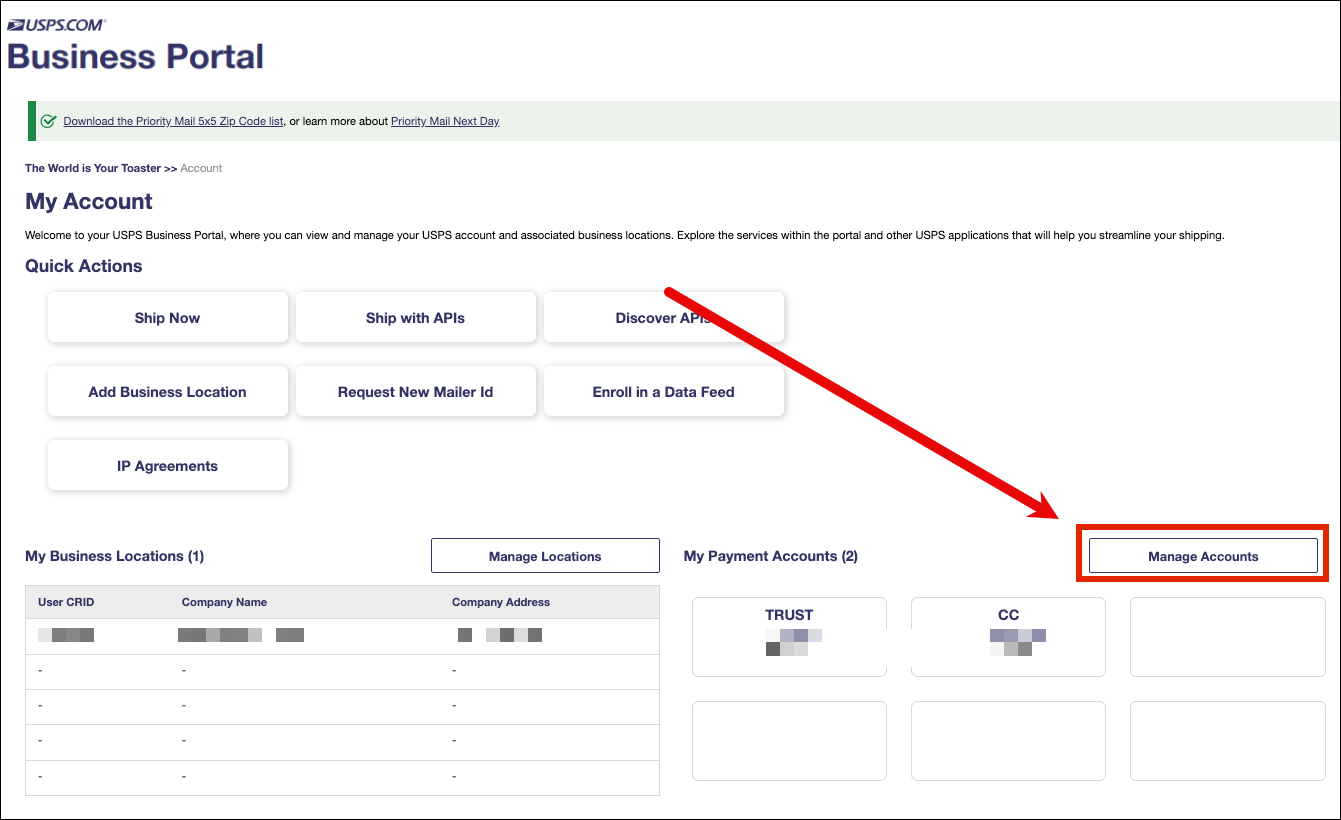
- Click Manage Accounts.
- Open your Enterprise Payment System (EPS) account.
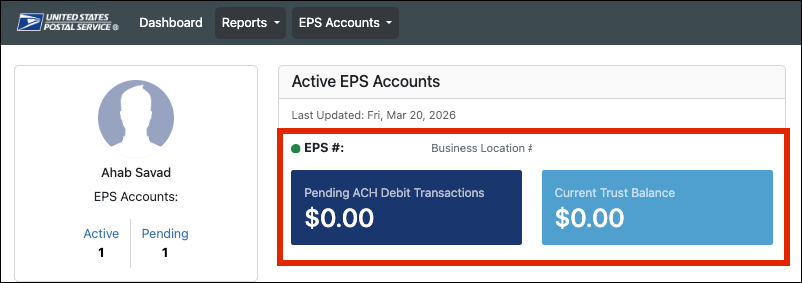
- Click Manage Account.

- Locate the Anticipated Daily Spend (ADS) at the bottom of the page.

- Increase the amount to better match your typical daily shipping volume.
- Save your changes.
When do ADS changes take effect?
ADS changes do not take effect immediately.
USPS applies ADS updates at 6:00 PM EST. Until that update takes effect, USPS may continue blocking label creation if your account has already reached its current daily spending limit.
Why would I need to increase my ADS?
If your USPS Ship account exceeds its ADS, you may see the following error in Ordoro:
The payment authorization token has been revoked
Increasing your ADS can help prevent this error on higher-volume shipping days.