
Order Tags can help your team quickly identify important order details while packing. When you enable this option, the tags print directly on the Packing List, making them easy to see during pick/pack.
Topics
When this is helpful
Order Tags are great for calling out details your team shouldn’t miss, like:
- Rush or priority orders: Rush, Ship Today, VIP.
- Special packing needs: Fragile, Gift Wrap, Include Note.
- Workflow steps: Needs QC, Backorder, Hold.
- Carrier or delivery reminders: Signature Required, Insurance, Do Not Bend.
Enable Order Tags on the Pack List
- Select the order(s).
- Click Print → Pick/Pack Lists.

- Under Attach Packing List, select Show Order Tags.
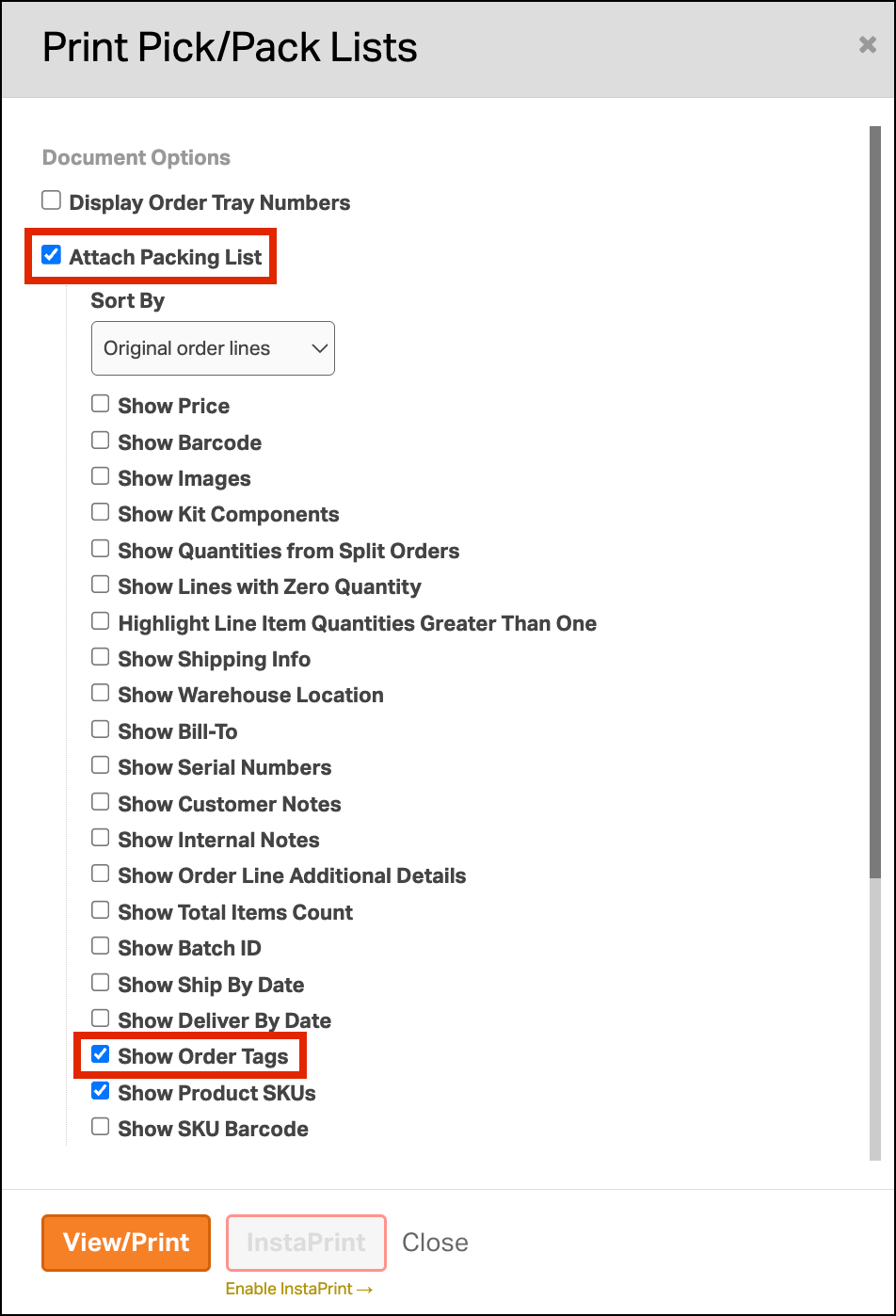
- Print or preview the Pack List. You’ll see the order tags displayed on it.
