
Absolutely! If you’re using Amazon Warehousing and Distribution (AWD), Ordoro can help you stay on top of your inventory by syncing your AWD quantities directly into your account. No need to log into Amazon to check your stock. We’ll pull your available AWD inventory into its own dedicated warehouse in Ordoro.
This guide explains how the AWD sync works, how to enable it, and what to expect once it’s up and running.
Topics
- What is Amazon Warehousing and Distribution (AWD)?
- How the AWD inventory sync works in Ordoro
- How to enable AWD inventory sync
- What to expect after enabling AWD sync
- Troubleshooting and FAQs
What is Amazon Warehousing and Distribution (AWD)?
AWD is Amazon’s bulk inventory storage program designed for sellers who use Fulfilled by Amazon (FBA). It provides affordable, long-term storage and automatically restocks Prime-ready fulfillment centers.
You don’t ship customer orders directly from AWD. Instead, AWD feeds inventory into FBA. See Amazon’s page for more details about this program.
How the AWD inventory sync works in Ordoro
When you enable AWD sync in Ordoro:
- We’ll automatically create a new AWD warehouse in your account.
- For more details about warehouses, see this support article.
- We’ll automatically pull your availableDistributableQuantity from Amazon’s API.
- That value updates the On Hand (POH) amount in your Ordoro AWD warehouse.
- Syncing runs hourly by default, with the option to update every 10 minutes.
- If interested in the 10-minute sync, please contact Ordoro Support to see if you’re eligible.
- AWD inventory in Ordoro is read-only. You won’t be able to adjust those quantities manually.
How to enable AWD inventory sync
Note: You must already have AWD enabled in your Amazon Seller Central account. Ordoro cannot enable this program on your behalf.
- In Ordoro, go to Settings → Suppliers.
- Click on your Amazon Supplier.
- Click Sync AWD Inventory.

That’s it! Once enabled:
- A new warehouse labeled AWD Warehouse will appear under Settings → Warehouses.
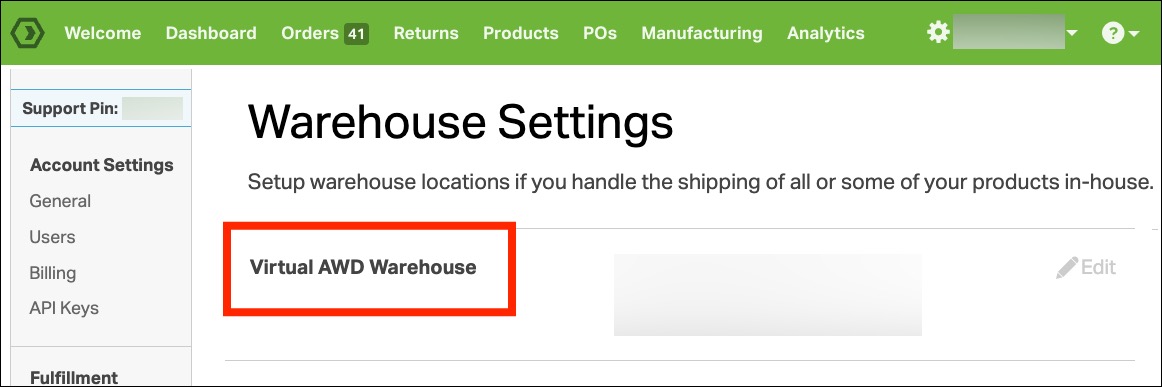
- The autosync task to pull your AWD inventory will begin shortly.

What to expect after enabling AWD sync
Here’s what will happen in your Ordoro account:
- Your AWD inventory will appear in the AWD Warehouse.
- The POH (On Hand) value will reflect what’s available for distribution to FBA.
- No orders will be routed through the AWD warehouse, as Amazon does not ship directly from AWD to customers.
Troubleshooting and FAQs
Why don’t I see my AWD inventory in Ordoro?
- Double-check that the SKUs you expect are stocked in AWD. We only sync “availableDistributableQuantity”, so if there’s no available inventory, it won’t appear.
Can I adjust the AWD inventory in Ordoro?
- No. This warehouse is read-only. You’ll need to manage your AWD inventory directly in Seller Central.
How do I know if the sync is working?
- You can check the blue Sync button and look for a task called Import AWD Inventory. If that’s running regularly, your sync is working.
Can I sync AWD to an existing warehouse instead of creating a new one?
- No. To ensure accurate inventory, Ordoro creates a separate AWD warehouse for this sync.