
If you see the USPS Ship error message “The payment authorization token has been revoked“, it usually means your USPS account has hit its daily spending limit.
Topics
What this error means
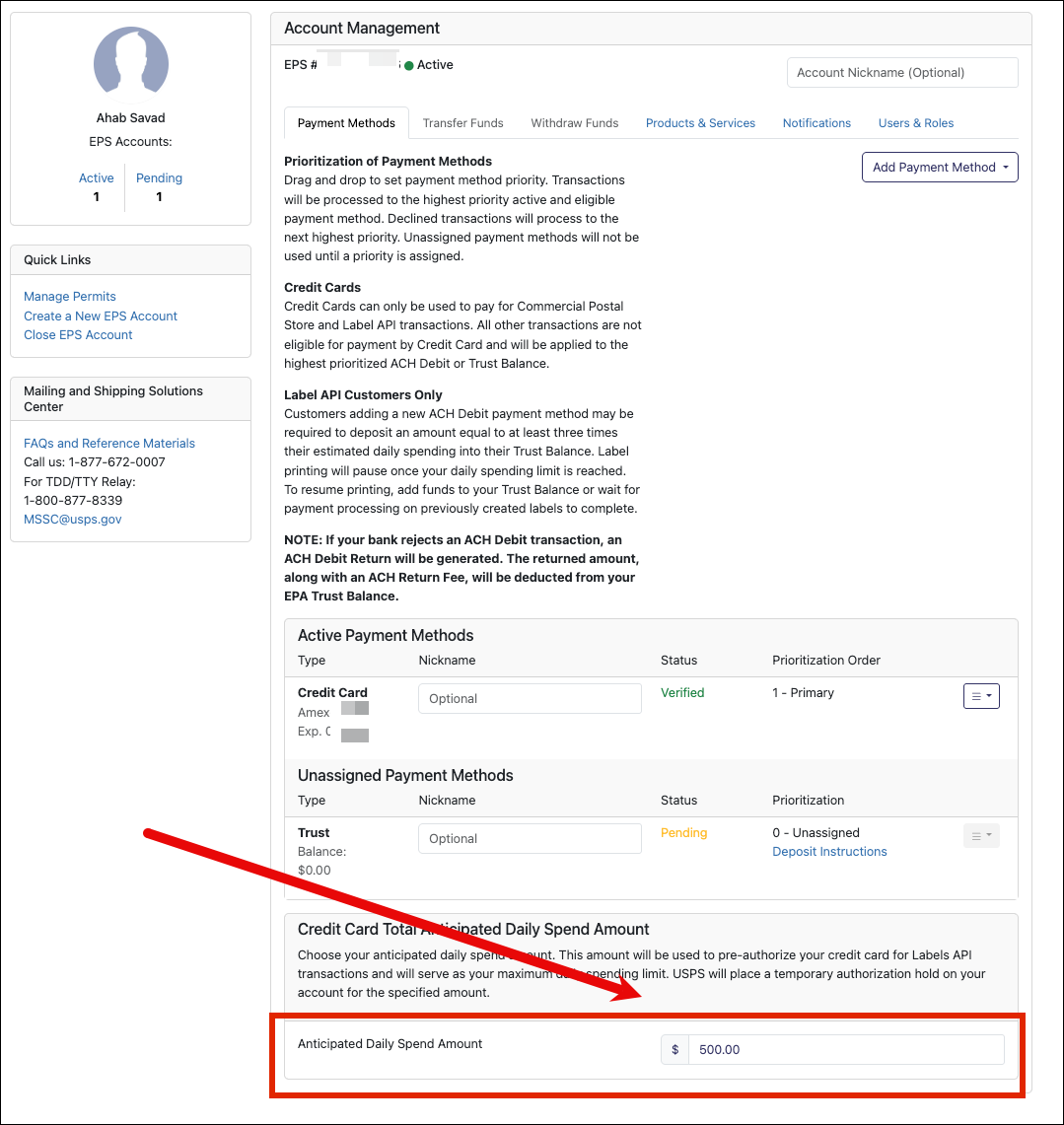
USPS Ship uses a setting called Anticipated Daily Spend (ADS). This is generally $500/day by default.
When your label purchases go over that limit:
- USPS temporarily blocks additional label creation
- You’ll see this error message in Ordoro
- No new labels can be created until the limit is increased or reset
This can come up more often than expected, especially if:
- You had a higher shipping day than usual
- Your ADS is set too low
How to fix it
Option 1: Increase your spending limit (fastest fix)
Important note: ADS updates take effect at 6:00 PM EST. Until then, USPS will block label creation.
- Log into your USPS Business Customer Gateway
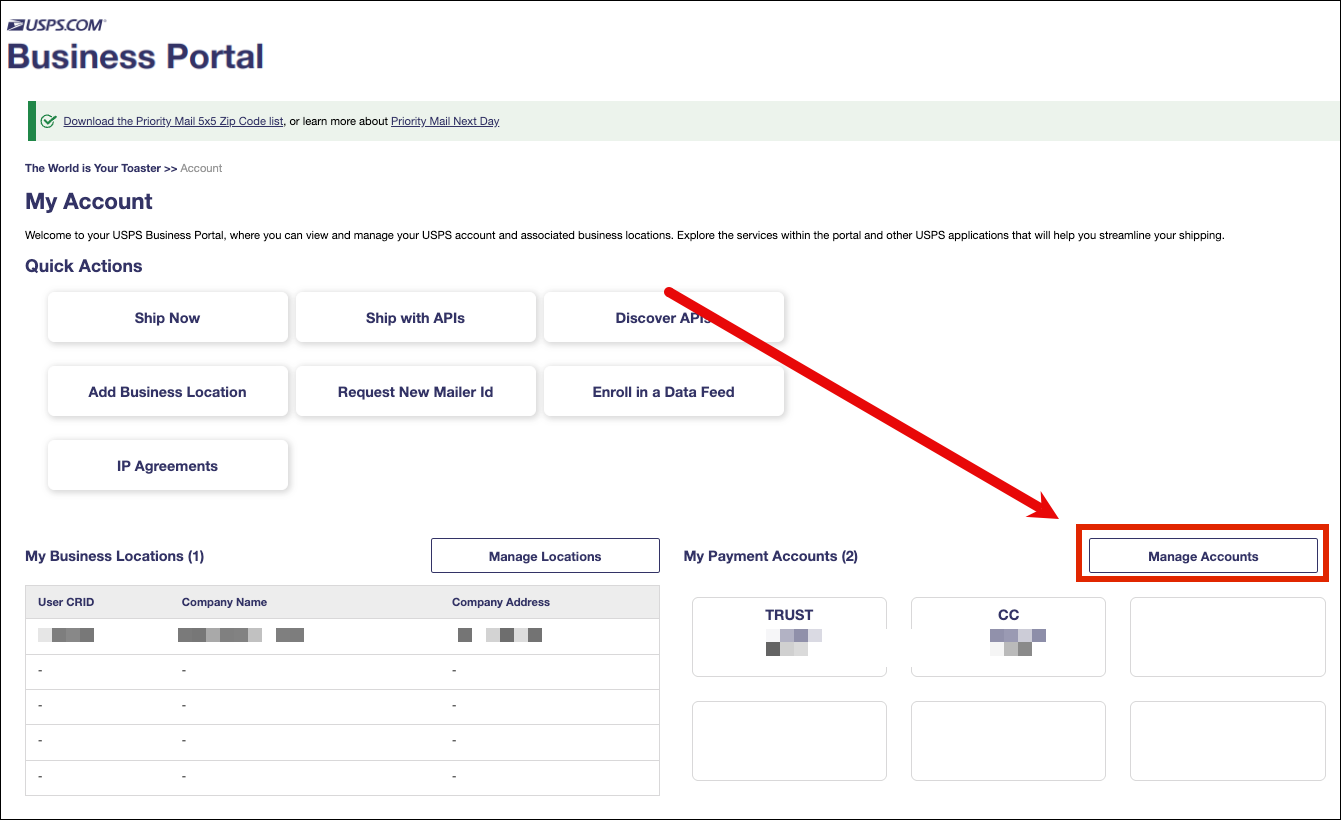
- Click Manage Accounts.
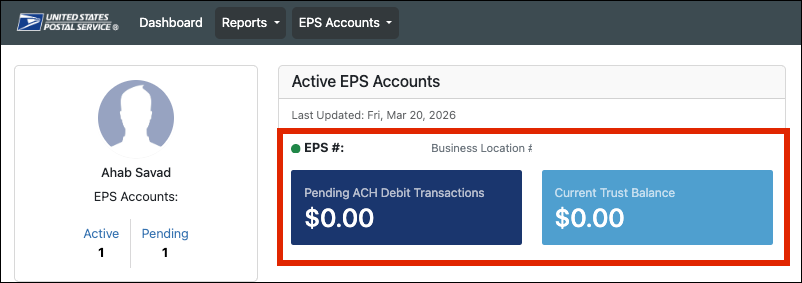
- Go to your Enterprise Payment System (EPS).
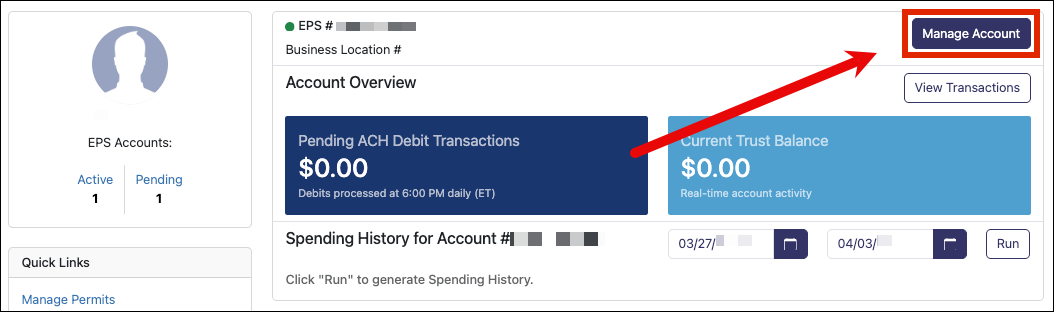
- Click Manage Account.
- Find your Anticipated Daily Spend (ADS)
- Increase the amount to match your typical daily shipping volume
Option 2: Wait for USPS to reset the limit
- USPS may release the hold after some time (often within a day).
- This depends on their internal payment and fraud checks.
How to prevent this going forward
To avoid running into this again:
- Update your payment method if you’ve had recent issues
- Set your ADS a bit higher than your busiest shipping day
- Review your shipping volume trends regularly