
Archiving a shipping carrier in Ordoro helps clean up your carrier list without removing historical shipment data. Once a carrier is archived, it becomes inactive for new rate requests and label creation, but existing shipment records remain fully accessible.
Note: Archiving is only available for non-USPS carriers. If you need to archive a USPS account, please contact support@ordoro.com for assistance.
Topics
Settings
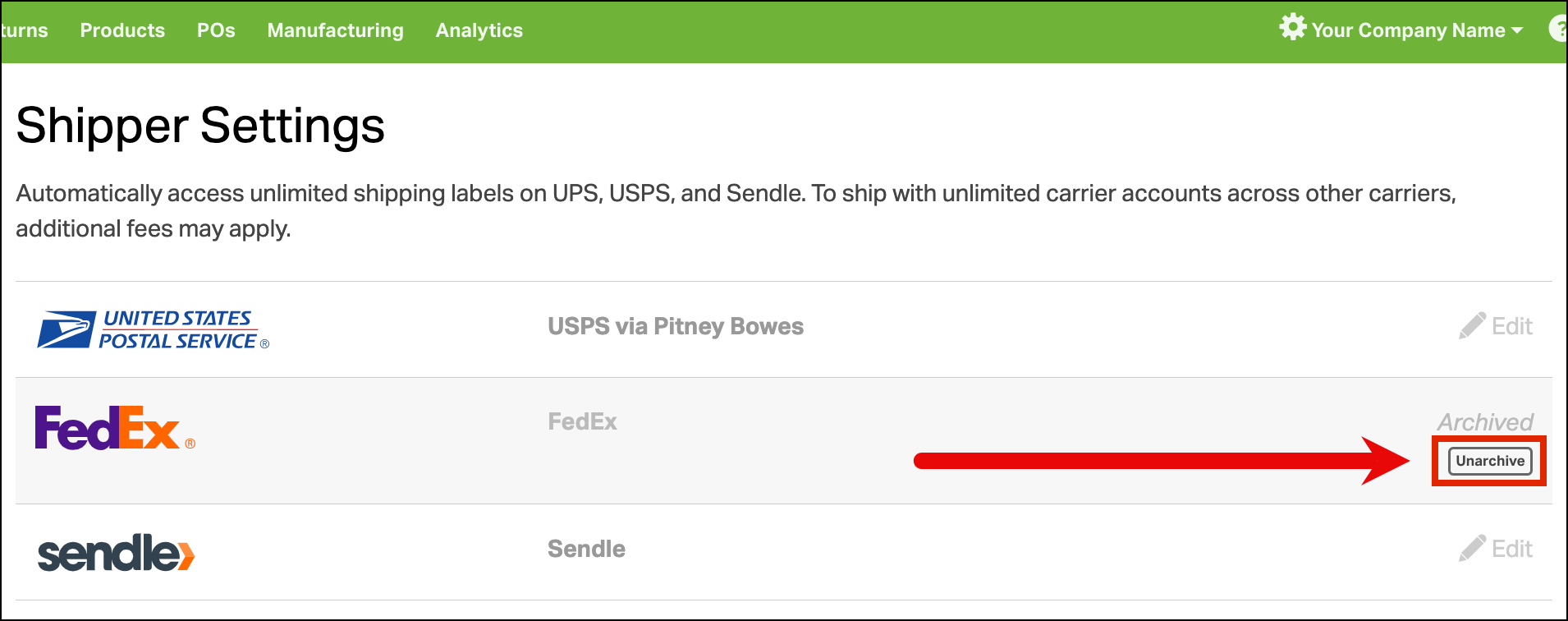
- The carrier will be marked as Archived and shown in grey on your Shippers page.

- Note: USPS accounts will disappear entirely from your carrier list when archived.
- Archived carriers are no longer available for rate requests or label creation.
- You can unarchive a non-USPS carrier at any time from the same Shippers page. Hover your mouse underneath Archived, and click the button to Unarchive.
Orders & Shipments
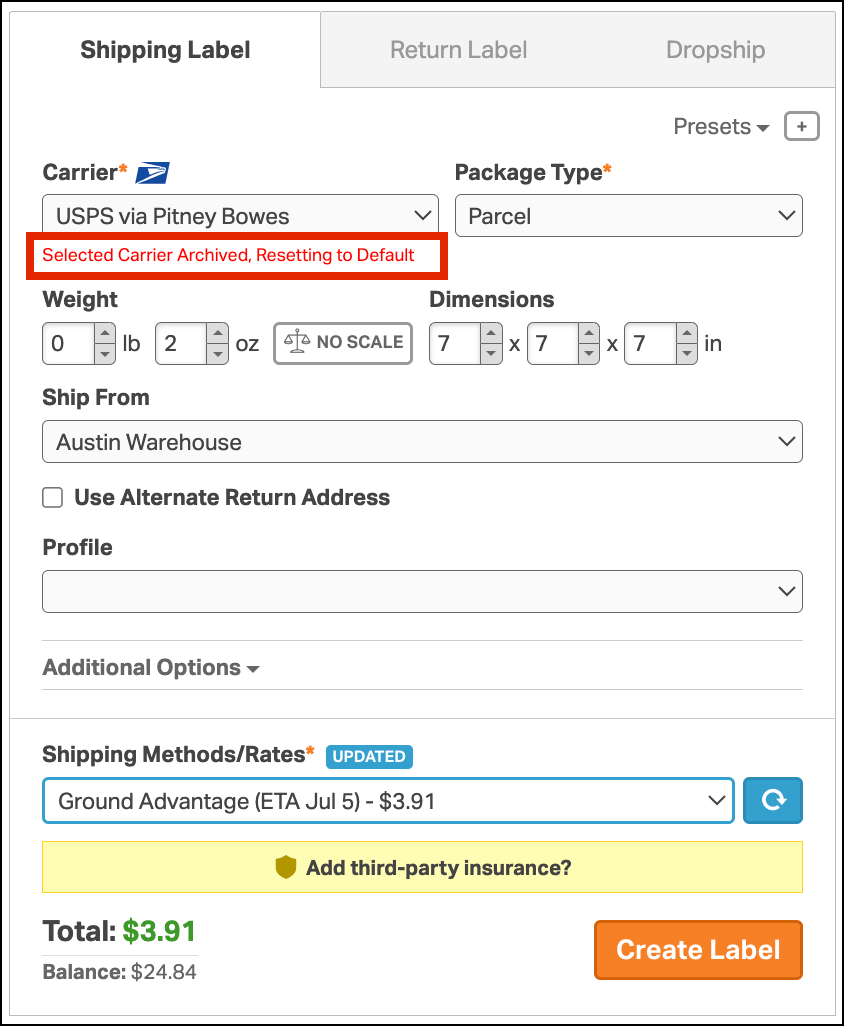
- If rates were previously loaded for a now-archived carrier, those rates are removed and the following message is displayed: “Selected Carrier Archived. Resetting to Default.”
- The order will default to the first available carrier in your list, but rates must be reloaded manually.
- Previously created labels for an archived carrier remain accessible and can be reprinted for an archived carrier.
- Order exports will include shipment information from archived carriers.
Automation Rules & Presets
- Automation rules and shipping presets with carrier-specific actions for an archived carrier will no longer load rates. The action will fail with the following message: “Selected Carrier Archived. Resetting to Default.”
- The order will default to the first available carrier in your list, and rates must be reloaded manually.
Analytics
Shipping Stats will still include archived carrier data for historical insights.