
You may need to reauthorize FedEx in Ordoro if your FedEx credentials expire or if you’re upgrading to Ordoro’s latest FedEx integration. Reauthorizing reconnects your account so you can keep creating labels and using your negotiated rates.
Important:
- All FedEx accounts must be reauthorized by March 31, 2026 to use the latest FedEx API version.
- If your FedEx account has not been reauthorized, FedEx shipping in Ordoro may become unreliable or stop working entirely.
Topics
- Reauthorize your FedEx account
- Complete the FedEx authorization pop-up
- Authentication methods
- What happens next
Reauthorize your FedEx account
Follow the steps below to reauthorize your FedEx account.
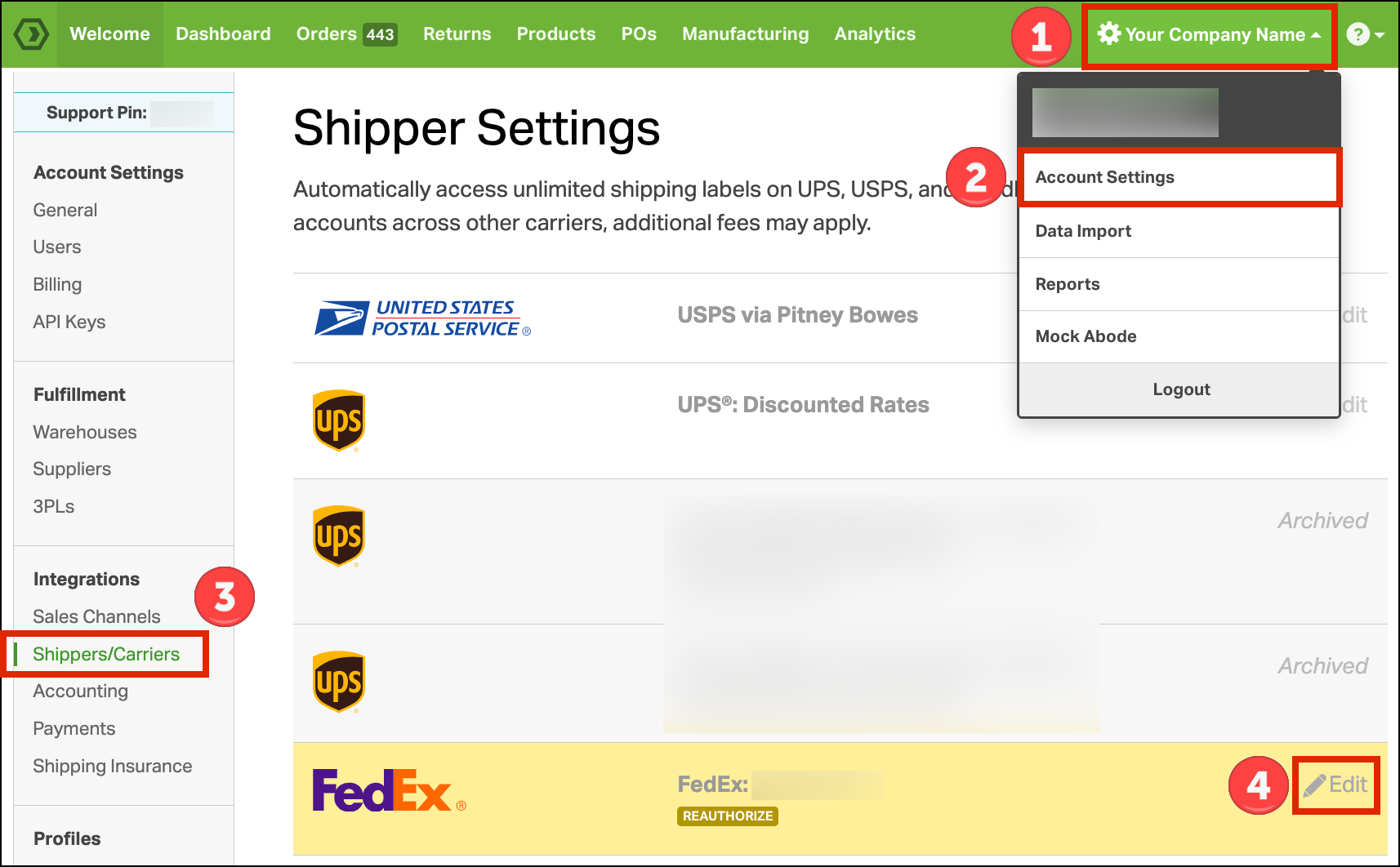
- Click on your Company Name.
- Select Account Settings from the dropdown.
- Go to Shippers/Carriers in the left column or click this link directly.
- Find your FedEx account and click Edit.
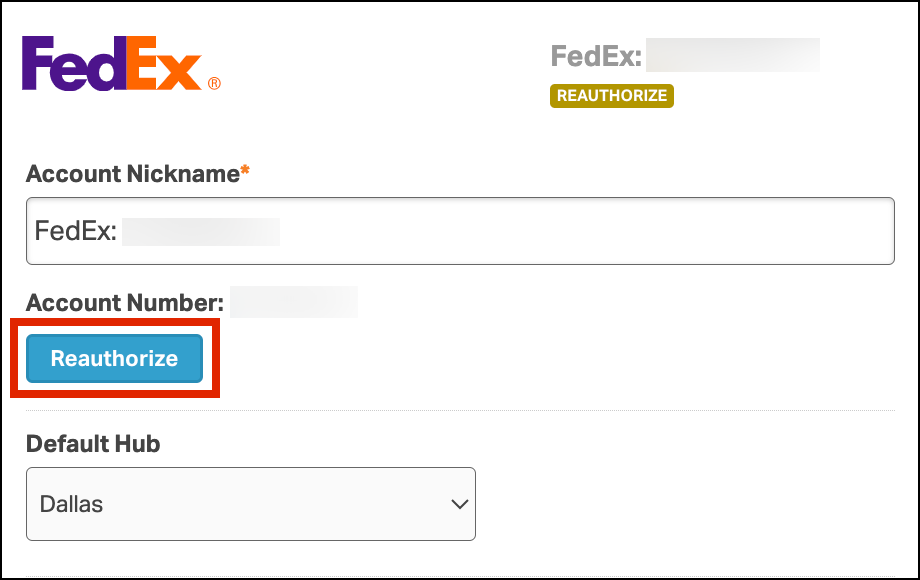
- Click Reauthorize.
Complete the FedEx authorization pop-up
In the pop-up window:
- Enter your FedEx Account Number.
- Enter the Billing Address listed on your most recent FedEx invoice.
- If needed, check Residential Address.
- Enter your Zip/Postal Code with no spaces.
- Example: enter Canadian postal code “M5V 3L9” as “M5V3L9”.
- Review the FedEx End-User License Agreement.
- Check I accept the FedEx EULA.
- Click I accept.
You’ll be prompted to authenticate your FedEx account in the next section.

Authentication methods
Choose one of the three options below to authenticate your account:
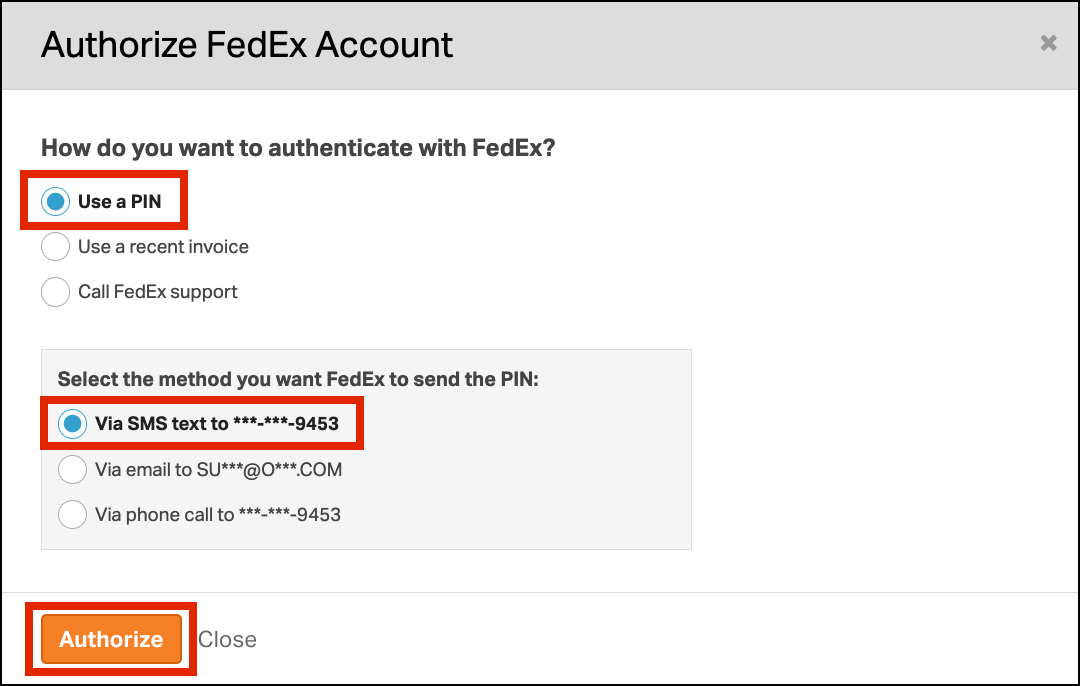
Option 1: Use a PIN
- Choose how you want to receive the PIN:
- SMS text
- Phone call
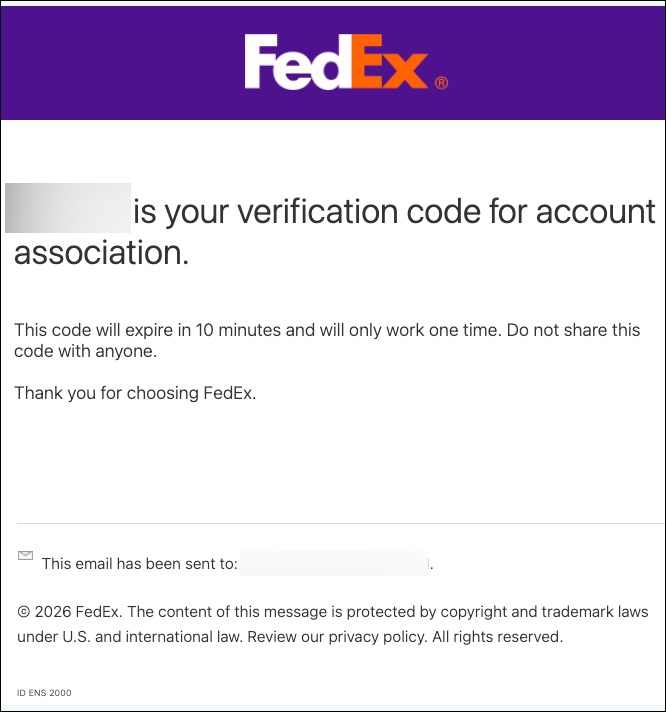
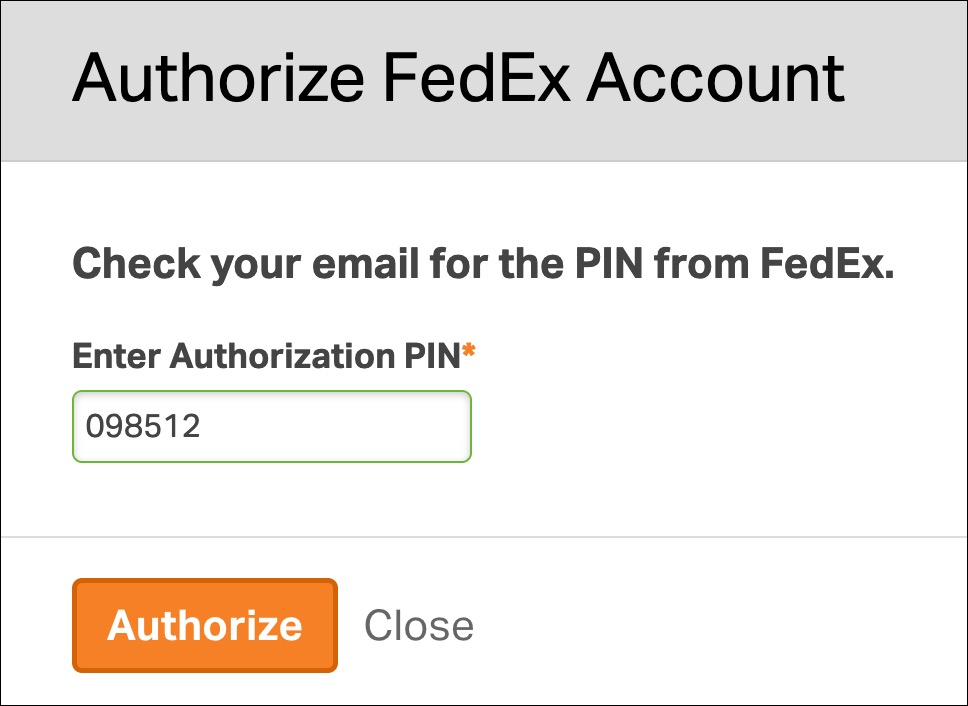
- If you choose Email, find a message with the subject line “FedEx Account Services Verification Code.” It will look like this:
- Enter the PIN you received.
- Click Authorize.
Option 2: Use a recent invoice (last 90 days)
- Enter the details from a FedEx invoice dated within the last 90 days:
- Invoice Number
- Invoice Date
- Invoice Currency
- Invoice Amount
- Click Authorize when done.

Option 3: Call FedEx Support
- Call FedEx at 1 (800) 463-3339.
- After FedEx completes the authorization, return to Ordoro.
- Click Authorize.

What happens next
Once authorization is successful, your FedEx account will reconnect to Ordoro. You’ll see your negotiated FedEx rates when creating shipping labels.
Need help? Contact our Support Team; we’re happy to walk you through it.
