
If you only want Ordoro to import newer orders from a sales channel, you can use the Ignore Orders Placed Before This Date setting.
This setting tells Ordoro to skip older orders and only import orders placed on or after the date you choose. It can be a helpful way to avoid bringing in older order history.
Topics
What does this setting do?
The Ignore Orders Placed Before This Date setting helps you decide which orders Ordoro should import from your cart.
When you enter a date for a sales channel:
- Orders placed before that date will be ignored.
- Only orders placed on or after that date will be imported.
When would I use this setting?
This setting is especially helpful when you do not want older orders to come into Ordoro.
Here are a few examples:
- Avoid importing older orders that have already been shipped.
- Limit imports to more recent orders while troubleshooting.
- Prevent older orders from reappearing after reconnecting a channel.
Real-world example
Let’s say you connect your Shopify store to Ordoro on March 13, 2026, and only want Ordoro to start pulling in orders placed from March 1, 2026 and later.
If you set Ignore Orders Placed Before This Date to March 1, 2026, Ordoro will skip orders placed before that date and only import newer ones.
How do I set it up?
Follow these steps to add or update this setting:
- In Ordoro, go to Account Settings.
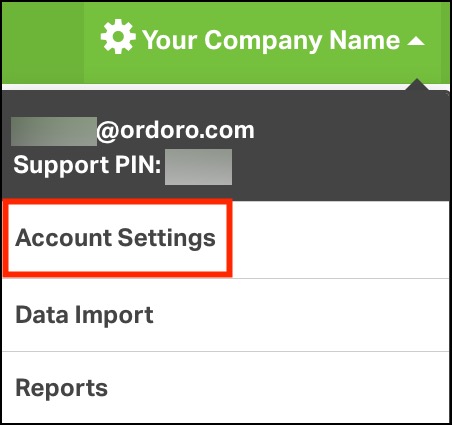
- Click Sales Channels.
- Find the sales channel to update and click Edit.

- Under Sync Settings for this Sales Channel, choose a date for Ignore Orders Placed Before This Date.
- Click Save.
