Ordoro tracks and displays key financial details for every order, no matter how it’s created. Whether orders come from your sales channels, API, or are manually entered, you can count on Ordoro to display accurate totals to support your shipping, accounting, and fulfillment workflows.
This guide outlines the available totals, their locations, and how they update when changes are made.
Topics
What totals are displayed
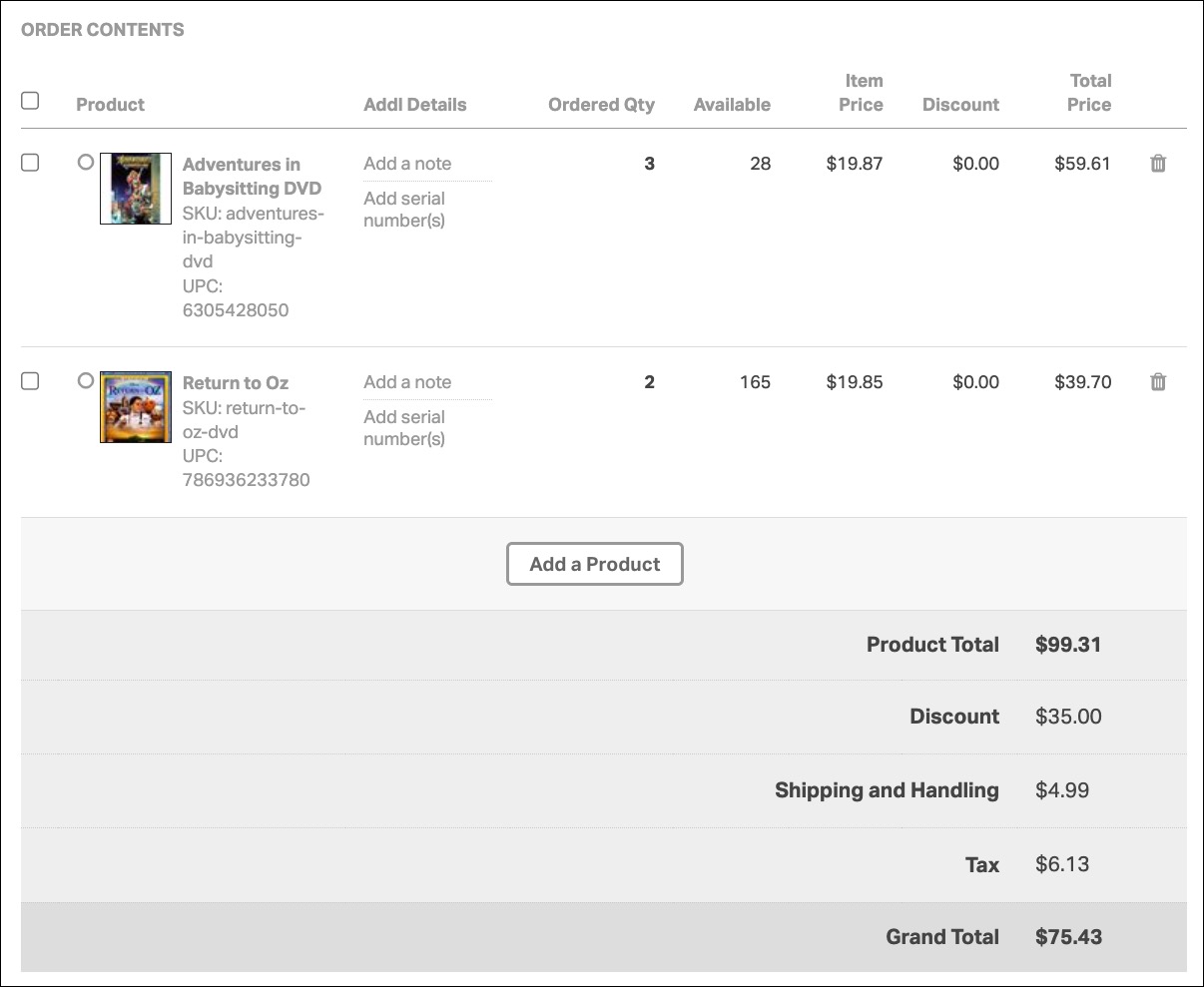
Ordoro displays the following financial totals for every order:
- Product Total
- Discount
- Shipping and Handling
- Tax
- Grand Total
These values give you full visibility into what your customer paid and how that breaks down across line items.
Where totals are shown
You’ll find these totals in multiple areas of the app and related exports:
- Order Detail page
- Order List page
- CSV exports
- Packing slips
How updates work
Ordoro gives you flexibility when editing orders. You can:
- Manually update Shipping, Discount, and Tax on the Order Detail page
- Add or remove order lines
- Use the API to create or modify orders
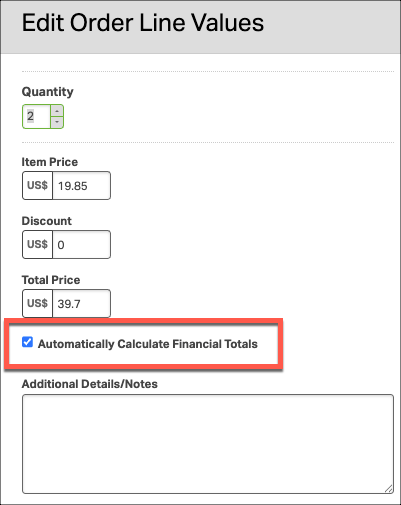
By default, Ordoro will automatically recalculate the Product Total and Grand Total when changes are made.
If you’d prefer to keep the original totals from your sales channel, uncheck the Automatically Calculate Financial Totals option when saving the changes.