
Internal notes can help your team catch important details during pick/pack.
When you enable this option, the internal note prints on the Pack List so packers don’t have to open each order to see instructions.
Topics
When this is helpful
Here are a few common examples:
- Special packing steps: ‘Double-box this item,‘ or ‘Add extra padding.”
- Quality checks: ‘Inspect for scratches before packing.’
- Order handling reminders: ‘Hold until Friday.’ or ‘Combine with Order #12345.’
- Internal routing: ‘Ship from Warehouse B.’ or ‘Needs manager approval.’
Enable internal notes on the packing slip
- Select the order(s).
- Click Print -> Pick/Pack Lists.

- Under Attach Packing List, select Show Internal Notes.
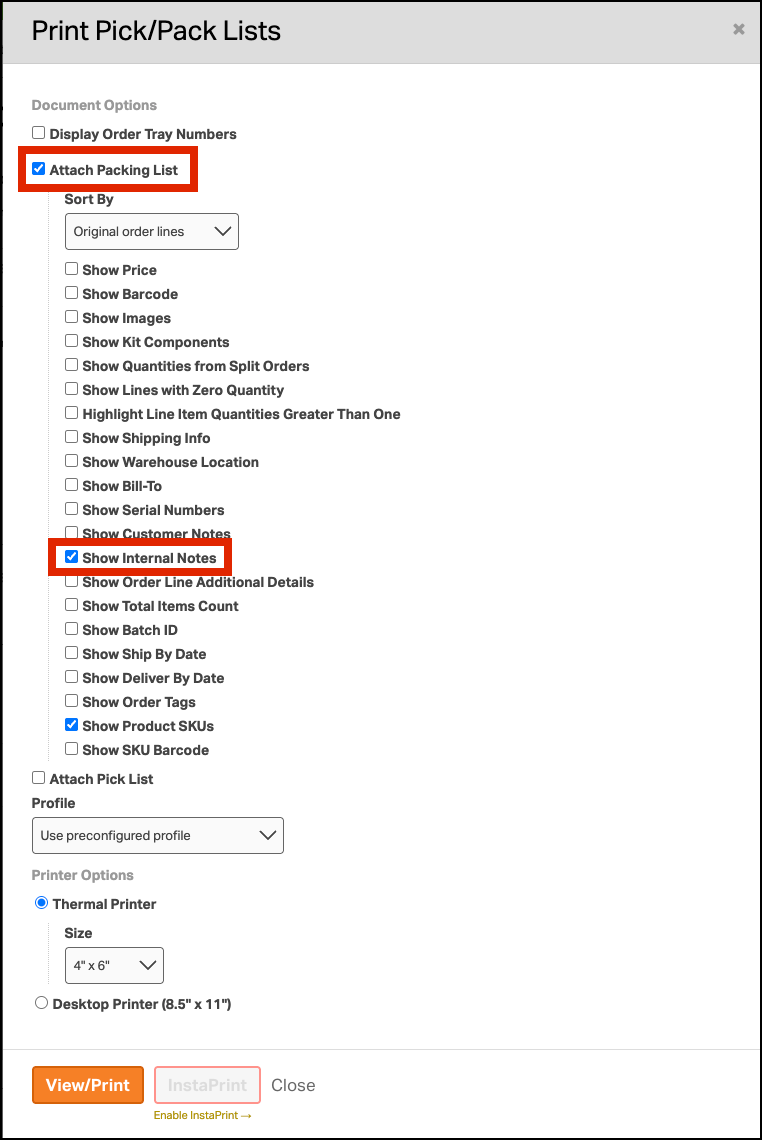
- Print or preview the Pack List. Your internal notes will appear on the Pack List for each order.
