
When you create an international shipping label, the carrier needs a product description for the customs form (example: “Women’s cotton t-shirt, size medium, new.”).
Carriers often have strict character limits for this field. If the description is too long, the carrier can reject the shipment, and the label won’t be created.
To help prevent that, Ordoro follows carrier-specific limits. Depending on the carrier, Ordoro may:
- Shorten (truncate) the description automatically, or
- Require you to stay within the limit so the label doesn’t error.
Carrier limits in Ordoro
These are the current character limits Ordoro applies to customs product descriptions:
- Australia Post: No limit enforced by Ordoro at this time.
- Canada Post: 45 characters (Ordoro truncates automatically).
- DHL Express: No limit enforced by Ordoro at this time.
- DHL eCommerce: 50 characters (no auto-truncation; stay within the limit).
- FedEx: 450 characters (Ordoro does not add extra limits).
- USPS via Pitney Bowes: 50 characters (no auto-truncation; stay within the limit).
- USPS Ship: 30 characters (Ordoro truncates automatically).
- UPS: 35 characters (Ordoro truncates automatically).
If Ordoro truncates the description (auto-shortens)
You can enter a longer description, but Ordoro will shorten it to the carrier’s limit when you create the label.
Carriers that truncate automatically:
- Canada Post: 45 characters
- UPS: 35 characters
Example: what this looks like in Ordoro
- In the label panel, you may see this warning: “Customs information may need to be adjusted.“

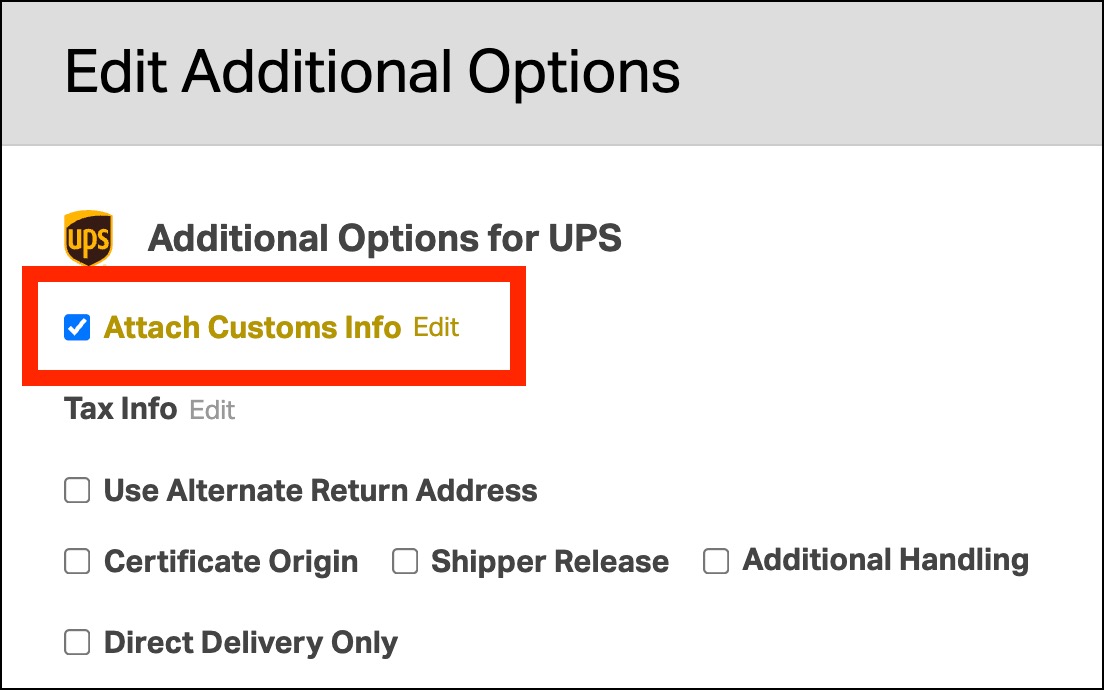
- To fix it, go to Additional Carrier Options -> View/Edit.

- Click Edit next to Attach Customs Info.
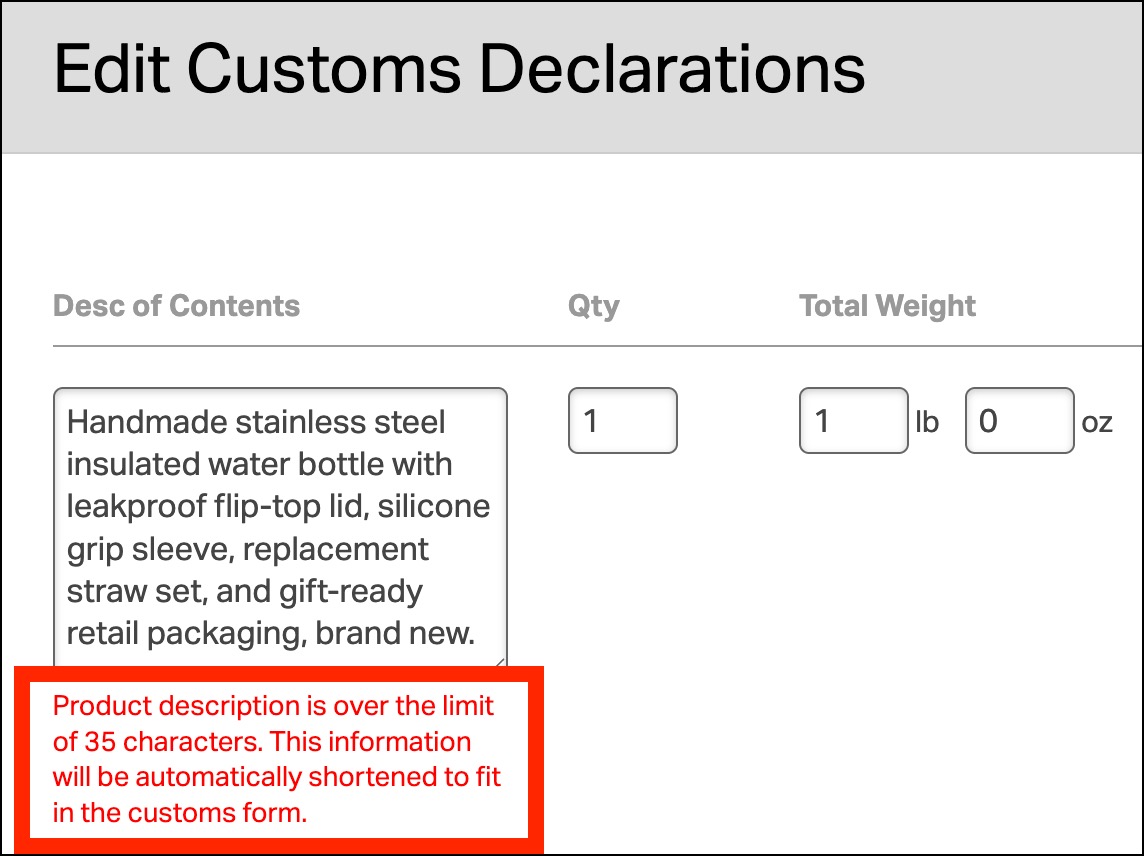
- If your description is too long, Ordoro will show a message like: “Product description is over 35 characters and will be shortened for the customs form.”
- You can optionally shorten the description yourself, but even if you don’t, the carrier will receive the shortened version.
If Ordoro enforces the limit (you must shorten it)
Ordoro won’t shorten the description for you. If it’s too long, you’ll need to edit it before the label can be created.
Carriers where you must stay within the limit:
- DHL eCommerce: 50 characters
- USPS via Pitney Bowes: 50 characters
- USPS Ship: 30 characters
Example: what this looks like in Ordoro
- In the label panel, you may see this warning: “Customs information is invalid.“
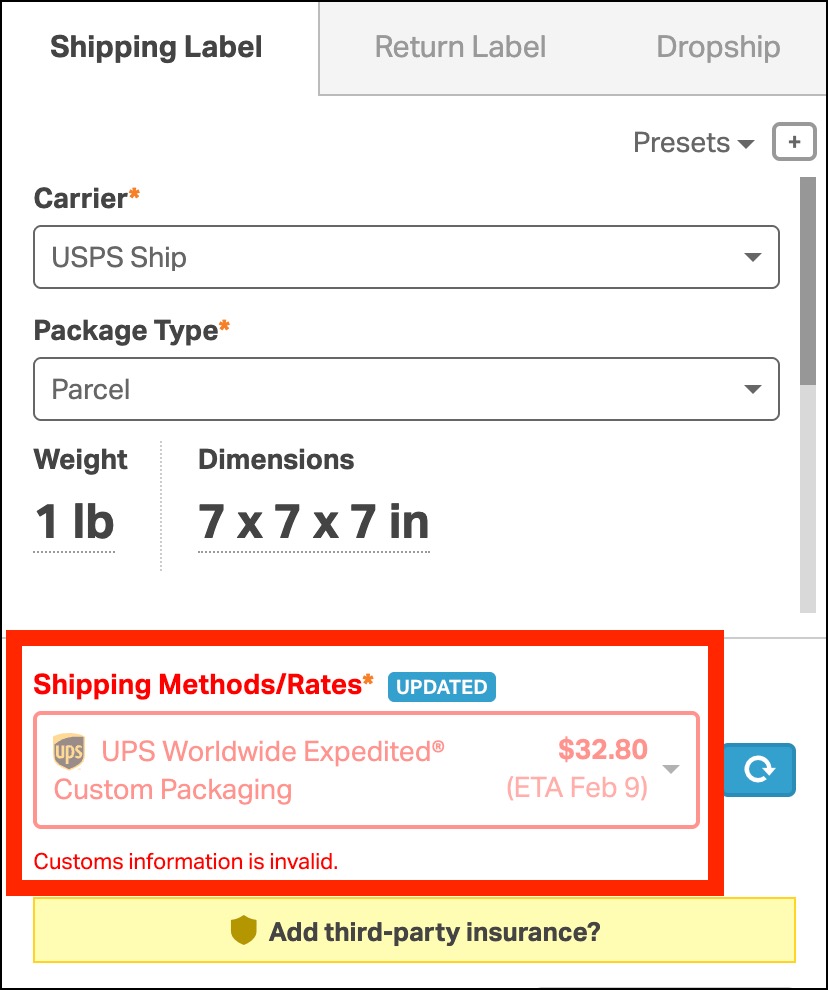
- To fix it, go to Additional Carrier Options -> View/Edit.

- Click Edit next to Attach Customs Info.

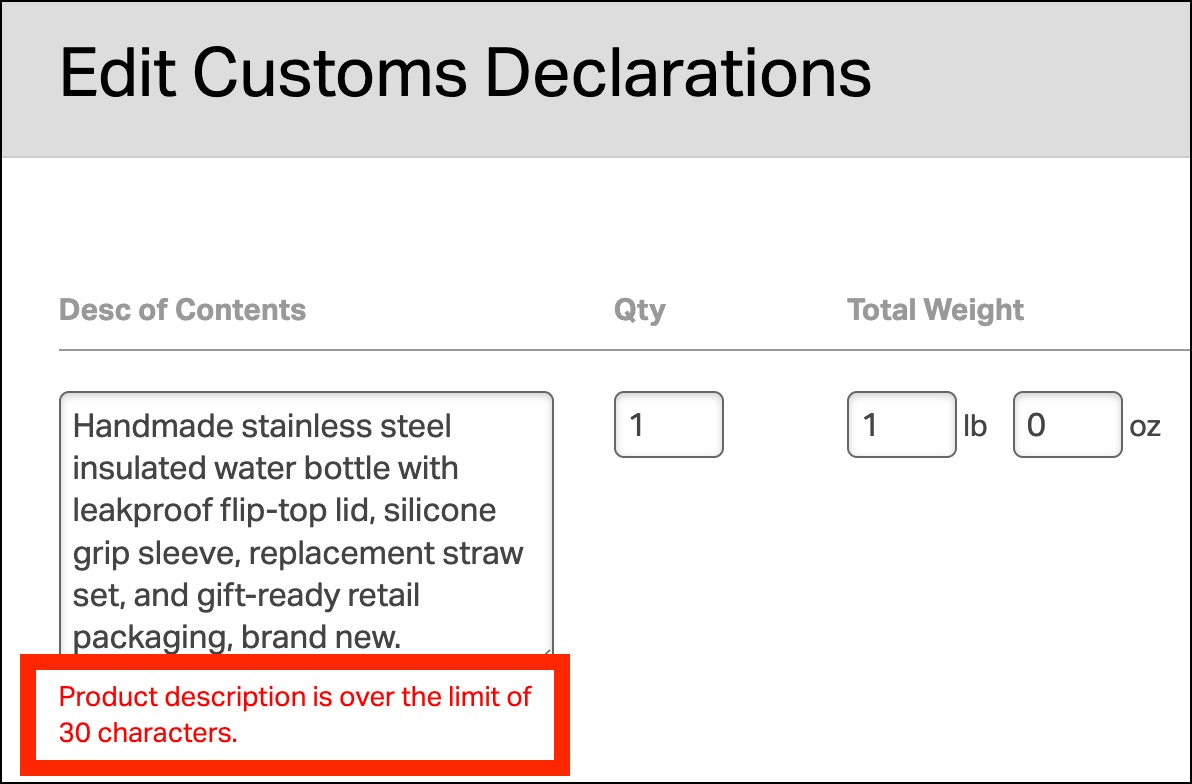
- If your description is too long, Ordoro will show a message like: “Product description is over the limit of 30 characters.“
- Shorten the description and try creating the label again.
Carriers with no additional Ordoro limit
Ordoro doesn’t apply extra restrictions beyond what the carrier accepts.
- FedEx: 450 characters
- Australia Post: No limit enforced by Ordoro at this time
- DHL Express: No limit enforced by Ordoro at this time