
Yes, you can. For a clearer picture of what presets have been applied to this order, either manually or via an automation rule, just review the order in question to find out. Follow the instructions below:
1. Either on the Order List page, or by clicking on the order to get to the Order Detail page, you’ll see # Presets Applied below the shipping label information.
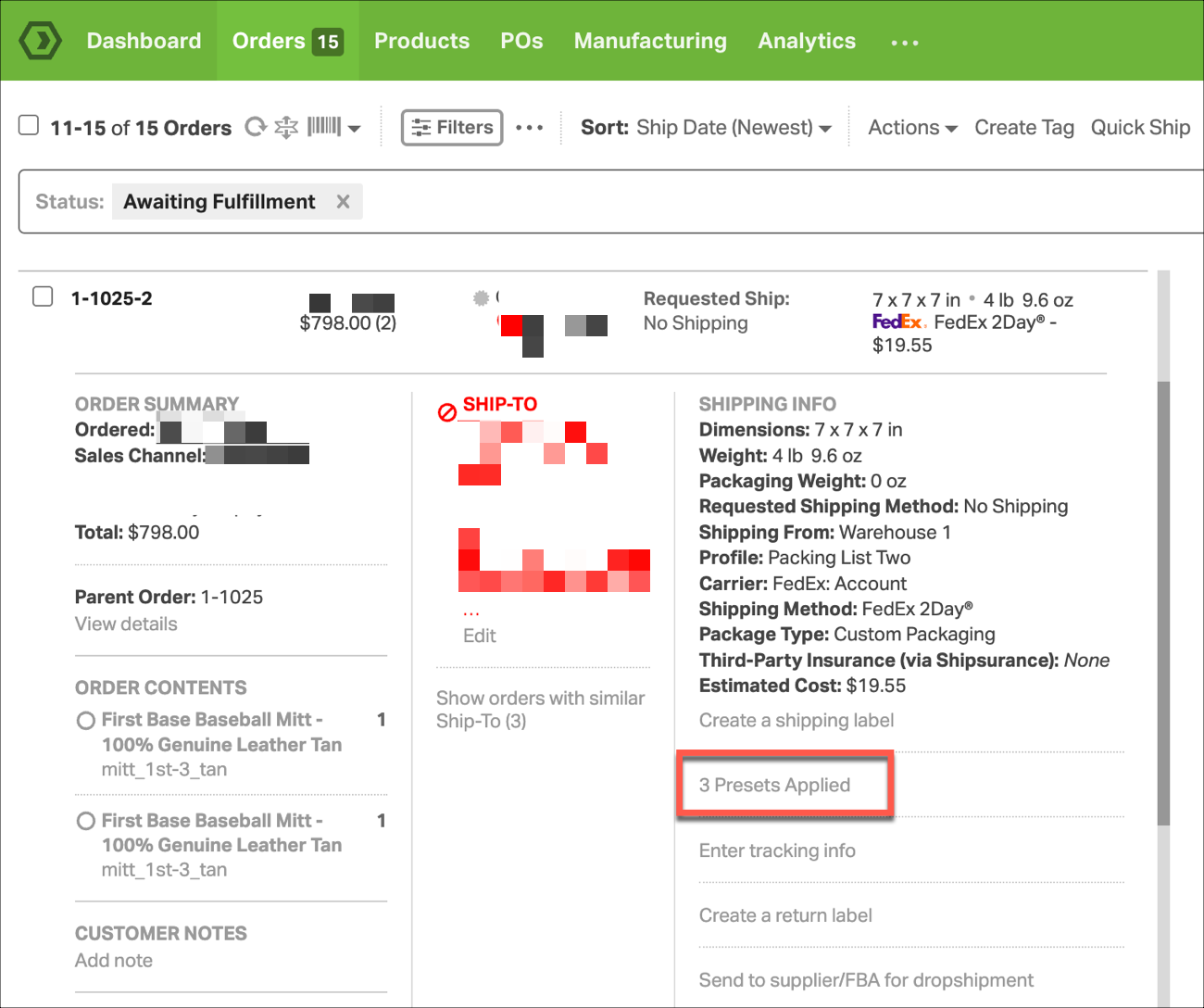
2. Click on the # Presets Applied text to review which presets were applied to the order. This will list the presets in the order in which they were applied. The top of the list is the first applied.
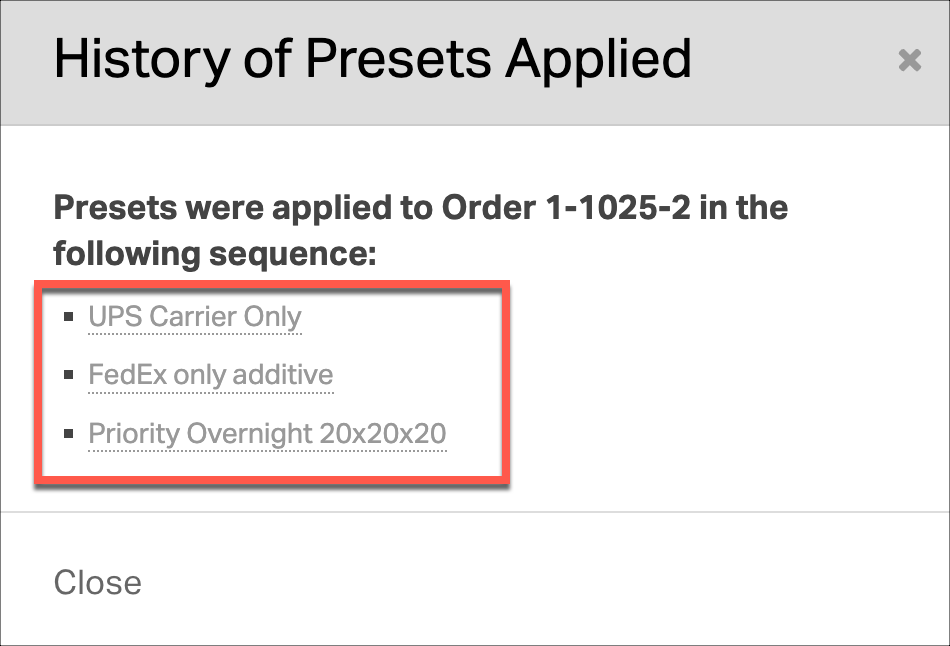
3. Click on any of the presets in the History of Presets Applied modal, to review what actions the preset currently applies. You can edit the preset here if you need to make changes. Those changes will not apply to that order at that time, unless your re-apply the preset to the order.
Note: If a preset has been updated since application to the order, this won’t represent the actions taken on that particular order.