
Reordering your carriers in Ordoro lets you decide which shipping providers show up first when creating a label. This makes the shipping label dropdown easier to use, helps your team find the right carrier faster, and keeps your shipping workflow efficient.
How to reorder your carriers
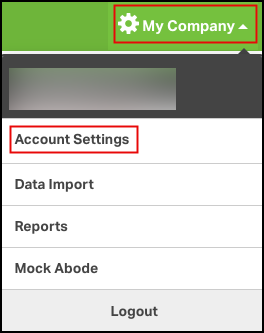
- Go to Account Settings
- Click your company name in the top-right corner.
- From the dropdown, select Account Settings.
- Find your carriers
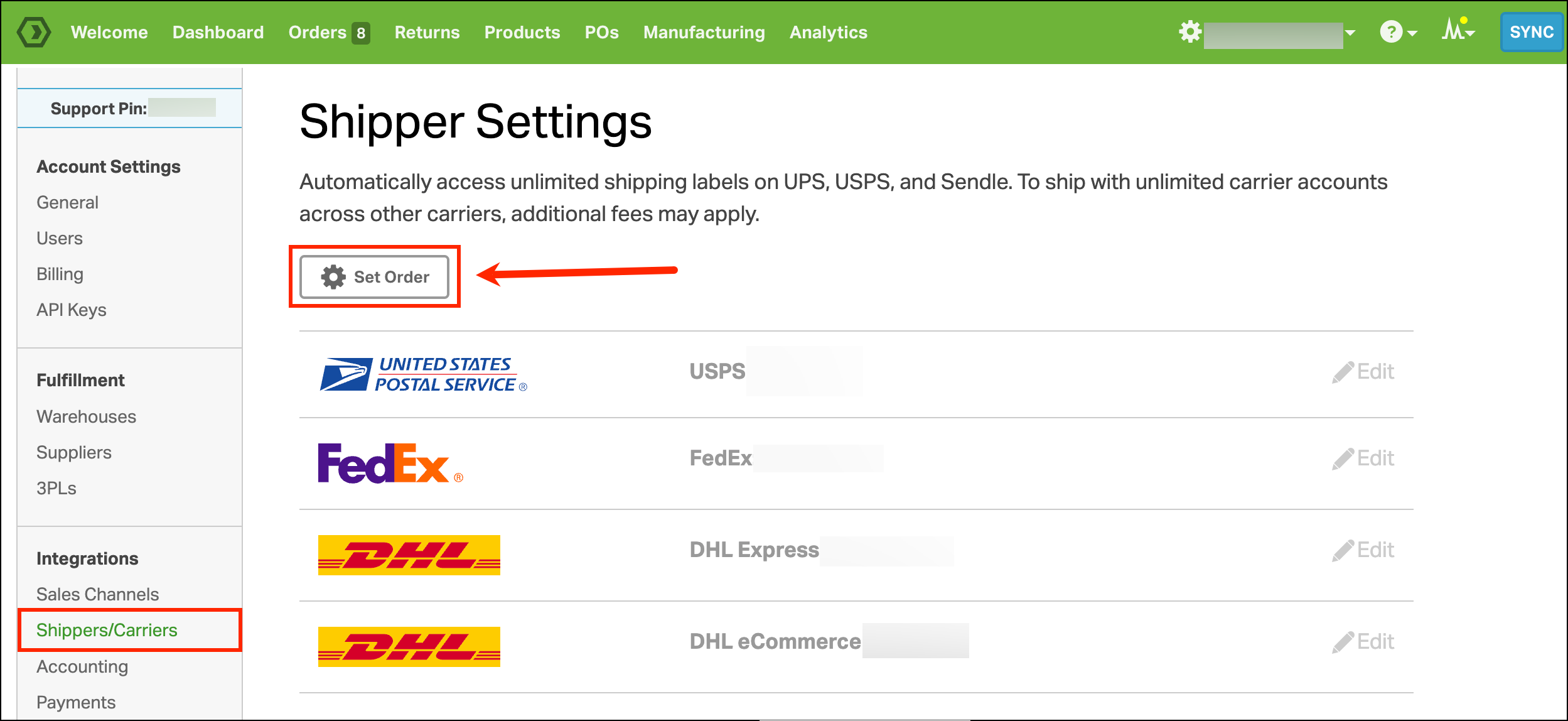
- Under Integrations, click Shippers/Carriers.
- Select the Set Order button.
- Drag and drop to reorder
- Use the drag handle icon to move each carrier into your preferred order.
- Click Save when you’re done.
- Example: If you want FedEx to be the first option when creating labels, drag it to the top of the list before saving.

- See your changes when shipping
- The carriers will now appear in your chosen order when you create a shipping label.
- For example, if FedEx is first in your list, it will also appear first in the carrier dropdown.
