
Postage auto-fill adds money to your USPS Pitney Bowes postage balance when it gets low. You choose when to add more postage and how much to buy.
Auto-fill helps you avoid running out of postage. It also means fewer manual purchases, which can save time during a busy shipping season.
Note: Auto-fill is not available for Pitney Merchant accounts.
Topics
- How does auto-fill work?
- Set up postage auto-fill
- Choose your refill amounts
- Check your Daily Postage Limit
How does auto-fill work?
Auto-fill uses two settings:
| Setting | What it does |
|---|---|
| Lower Threshold | Tells Ordoro when to buy more postage. A refill starts when your balance drops below this amount. |
| Increment Amount | Tells Ordoro how much postage to buy each time. |
For example, you set:
- Lower Threshold: $100
- Increment Amount: $200
When your balance drops to $95, Ordoro buys $200 in postage. Once the purchase is complete, your balance is $295.
The refill amount is added to the postage you already have.
Set up postage auto-fill
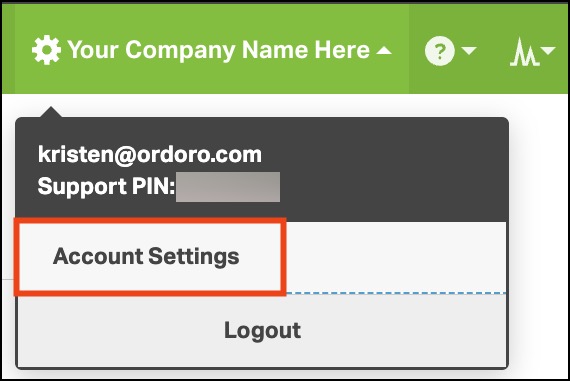
- Click your Company Name → Account Settings.
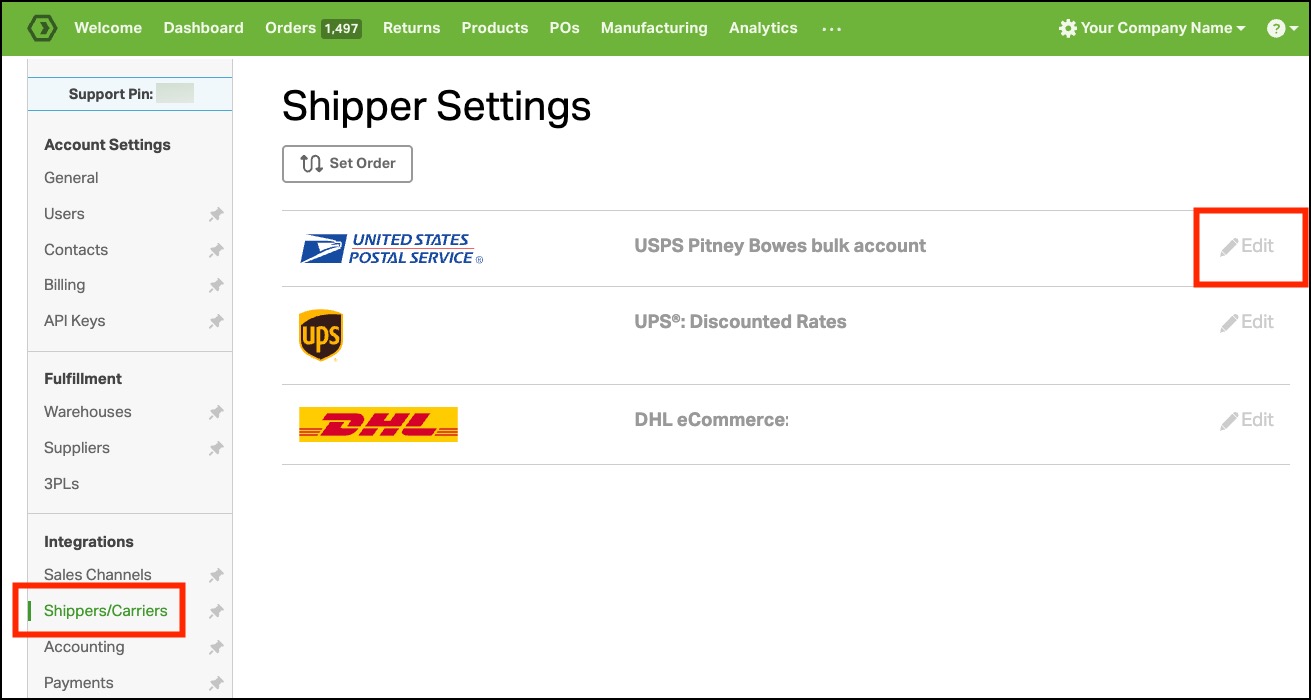
- Select Shippers/Carriers in the left menu.
- Find your USPS Pitney Bowes account and click Edit.
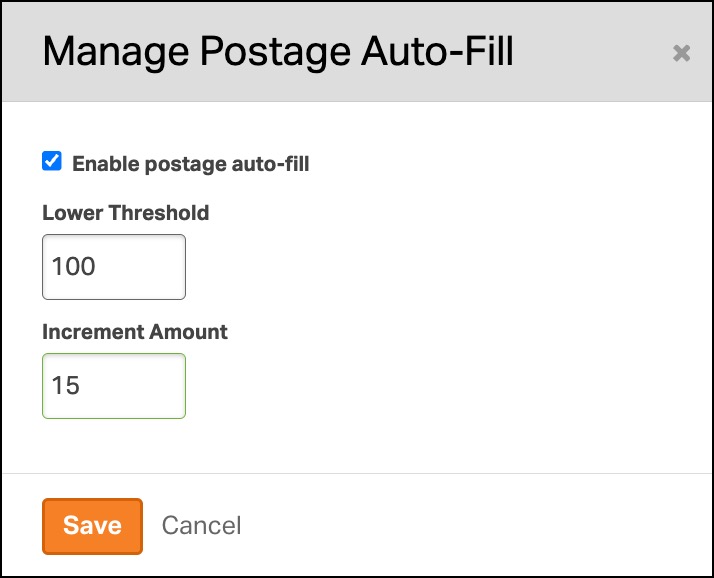
- Select Manage for Postage auto-fill.

- Click the checkbox next to Enable postage auto-fill.
- Enter your Lower Threshold and Increment Amount.
- Click Save.
Choose your refill amounts
Think about how much postage you need on a busy shipping day.
- Lower Threshold: Choose an amount that leaves enough postage for your next batch of labels while the refill goes through.
- Increment Amount: Choose how much postage to add each time. A smaller amount may mean more refills.
Example: Your usual batch of labels costs about $50. You could start with these settings:
| Setting | Amount | Why it may work |
|---|---|---|
| Lower Threshold | $100 | Starts a refill when you have about two batches’ worth of postage left. |
| Increment Amount | $200 | Adds enough postage for about four more batches. |
These are sample amounts and assume your Daily Postage limit is at least $200. Choose settings that fit your own shipping needs.
Before a busy season, check how much your batches may cost. If you plan to create more labels at once, consider raising your Lower Threshold. If refills happen too often, consider raising your Increment Amount.
Check your Daily Postage Limit
Your Daily Postage Limit is the maximum amount of postage you can purchase in a single day. This includes postage you buy yourself and postage bought through auto-fill.
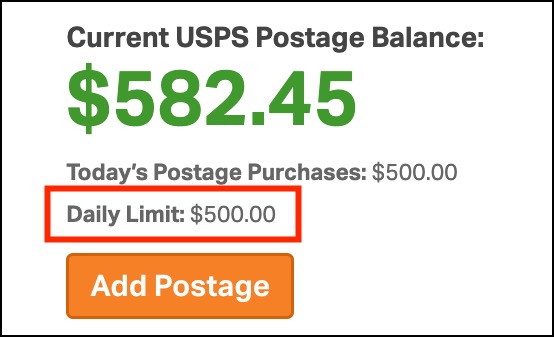
Example: Your daily limit is $500, and each auto-fill buys $200.
- The first refill buys $200.
- The second refill buys $200. You have now bought $400 that day.
- You can buy only $100 more that day. The next $200 refill cannot go through because it would exceed your $500 limit.
Using postage to make labels does not reset your daily purchase limit.
Your postage balance can be higher than your daily limit. Any postage left from earlier days stays in your account.
For example, if you have $100 left from yesterday and buy $500 today, your balance will be $600.
Before a busy shipping day, make sure your daily limit covers enough postage. Need help or a higher limit? Contact Ordoro Support. We’re happy to help!