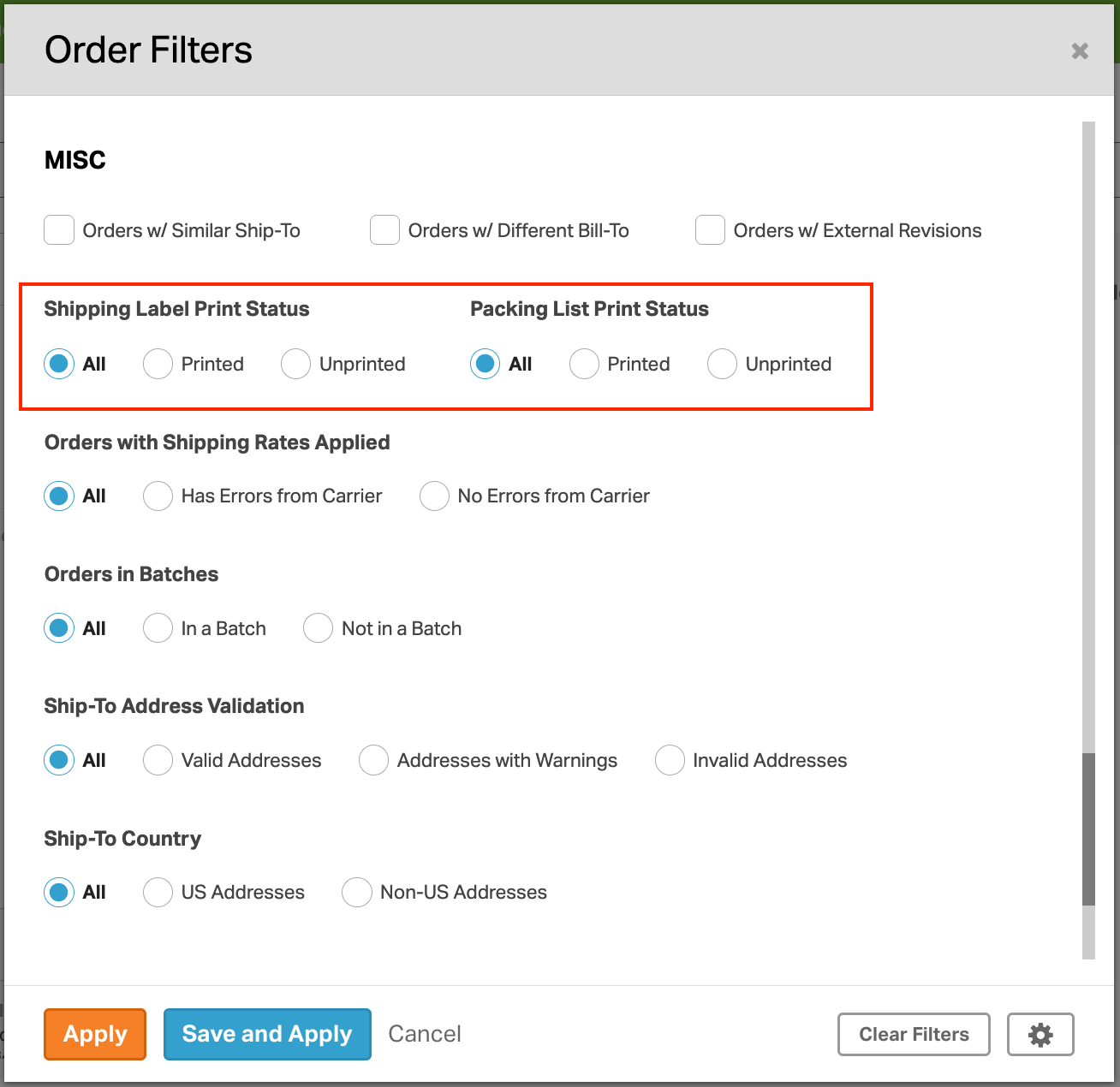
On the Orders tab in Ordoro, you can filter your orders to show ones with printed shipping labels and printed packing lists.
How to filter to view orders with printed shipping labels or printed packing lists
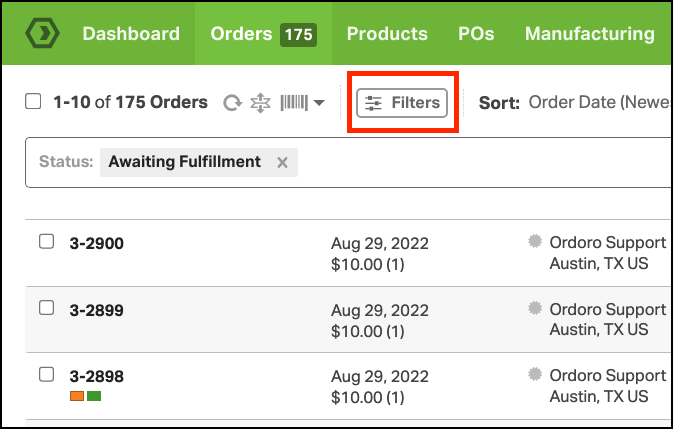
1. Click the Filters button on the Orders tab.
2. The Shipping Label Print Status filter and Packing List Print Status filter is located under the Misc section.
- You can filter by All, Printed, or Unprinted.