
You can use a Trust Account in your EPS account to fund postage purchases with USPS Ship. If that account balance goes negative, USPS may mark the account as inactive and prevent postage from being purchased until the balance is resolved.
If you are seeing errors like “Your EPS Account is not Active, please check your account and try again,” a negative trust balance may be the cause.
Topics
- What is a Trust Account?
- Why does a USPS Ship Trust Account go negative?
- How to check if you have a negative trust balance
- What to do if your Trust Account has a negative balance
- What to do after the balance is paid
- How to help prevent this from happening again
What is a Trust Account?
A Trust Account is a funded deposit account within your EPS account that USPS can use to pay for postage charges. Each EPS account includes a Trust Account, and it will remain in Pending status until it has been funded. The Trust Account can be activated with a deposit as small as $0.01.
If USPS is unable to successfully capture a payment from your card, USPS may move the charges as a negative balance to the Trust Account.
Why does a USPS Ship Trust Account go negative?
A negative trust balance is created when USPS attempts to collect funds through your EPS account, but the payment method fails. This can happen when:
- The payment method on file is no longer valid.
- The card on file has expired.
- Your bank flags USPS charges and does not immediately release funds.
In some cases, the error message “Your EPS Account is not Active, please check your account and try again” can be a clue that a negative trust balance has been created.
How to check if you have a negative trust balance
- Log in to cop.usps.com.
- Click Manage Accounts.
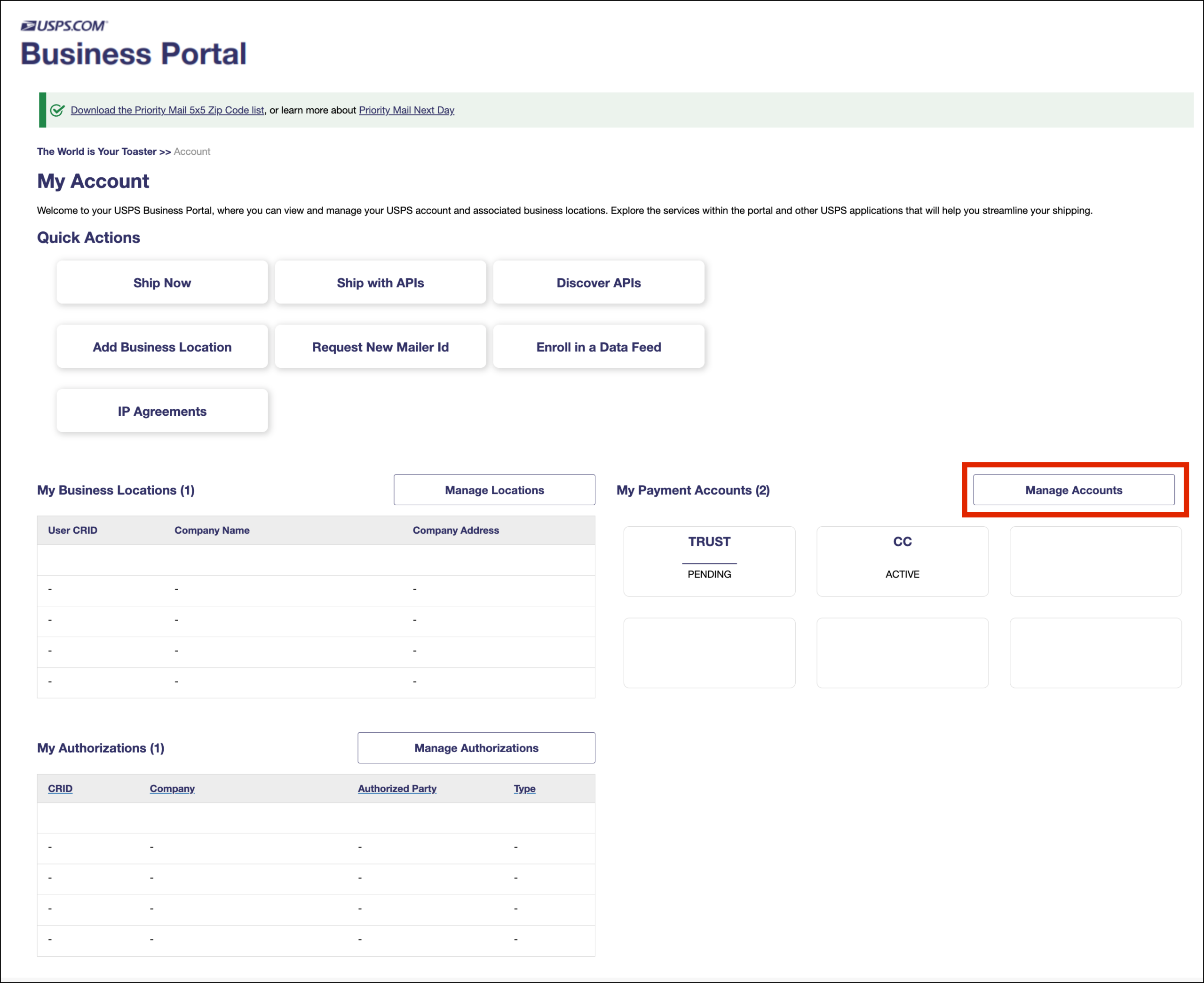
- Review the trust balance.
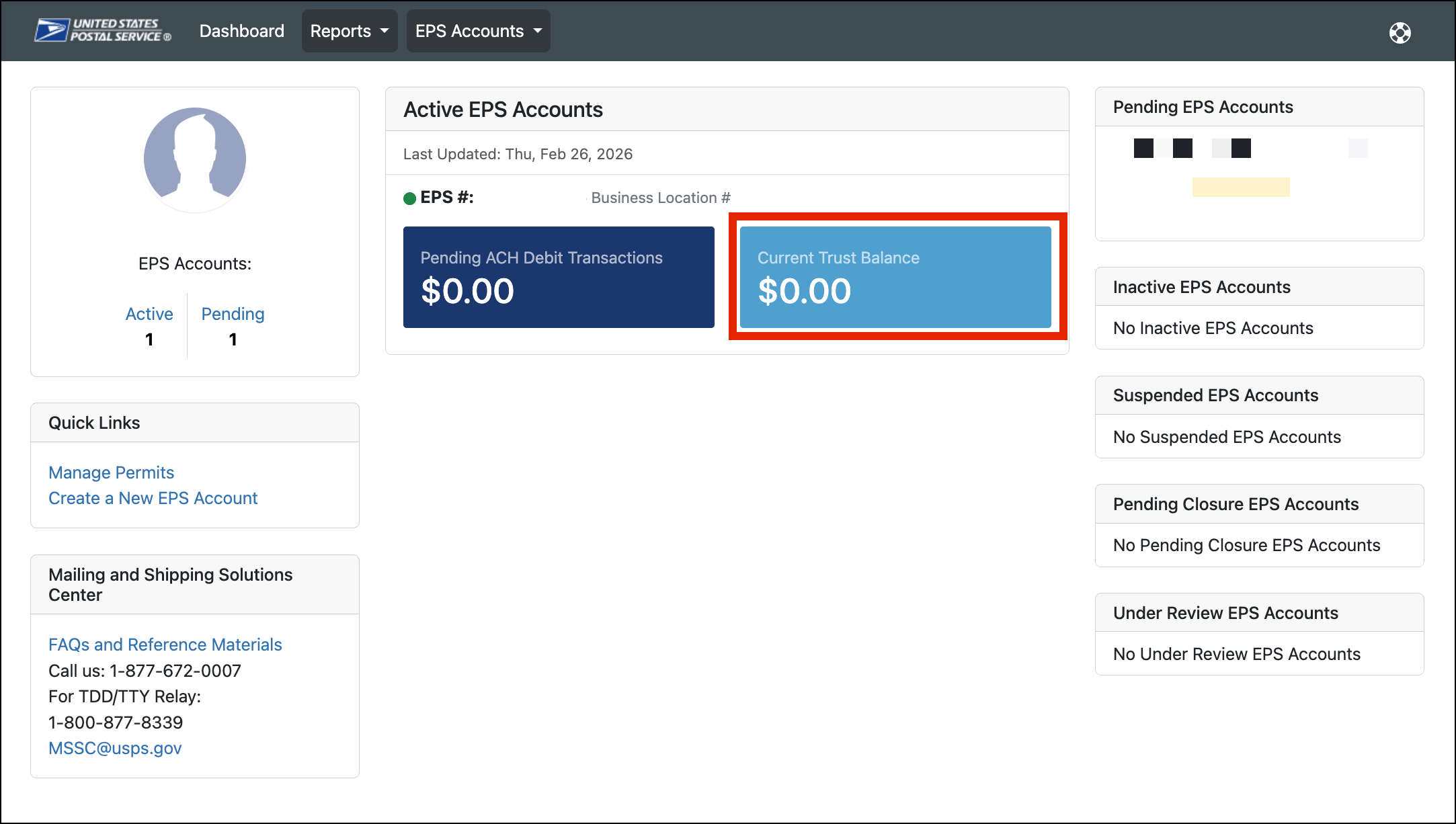
Do you see a negative trust balance?
If yes, your EPS account is likely suspended and you will be unable to purchase postage until the balance is paid.
What to do if your Trust Account has a negative balance
Option 1: Pay the negative trust balance in person
You can go in person to a Post Office that accepts EPS payments and pay off the negative trust balance.
Accepted payment methods are:
- Cash
- Debit card
- Check
Credit cards are not accepted for this type of payment.
Option 2: Pay the negative trust balance electronically
Users can also pay a negative trust balance electronically by:
- Wire transfer. Funds typically post within 4 to 6 hours.
- ACH credit. This usually processes overnight or the next business day.
If an ACH account is not already set up, it can take approximately 24 to 48 hours to complete setup before payments can be processed.
USPS provides guidance for electronic fund transfer procedures here.
What to do after the balance is paid
Once the negative trust balance has been resolved, you will likely need to review your payment methods.
- Log in to cop.usps.com
- Click Manage Accounts.
- Click EPS Accounts and select the correct account from the dropdown to open the account information.
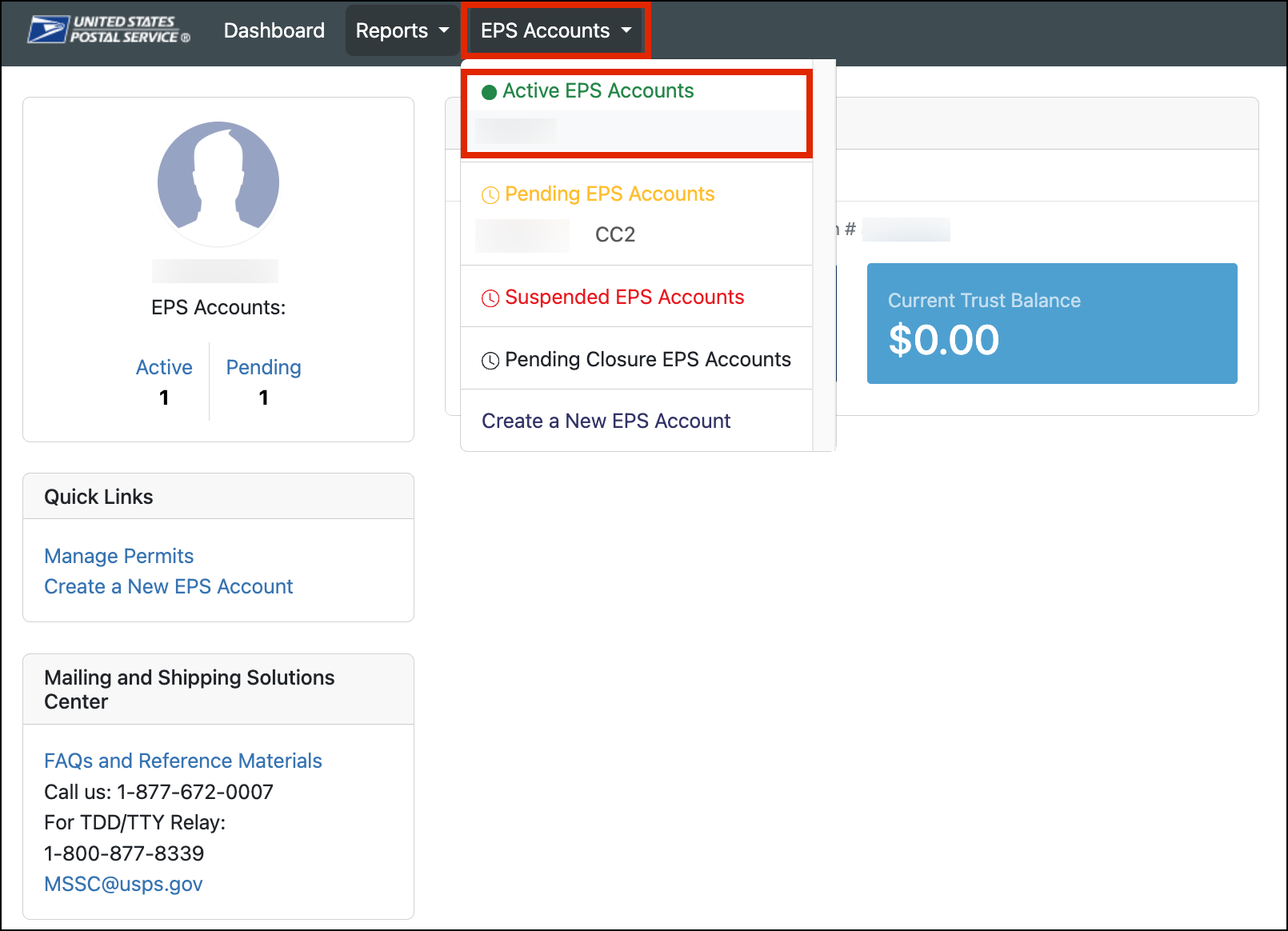
- Click Manage Account

- Scroll to the bottom of the page. Under Active Payment Methods, look at the Status column.

Check whether the payment method status says:
- Suspended
- Verified
If the payment method shows as Suspended, you will need to resolve the trust balance before the account can be used again. After the trust balance has been resolved:
- If you want to continue using the same card that is currently on file, but the status is still Suspended, please contact Ordoro Support for help.
- If you want to use a different card, add a new payment method.

How to help prevent this from happening again
To reduce the chance of another negative trust balance:
- Keep your card information up to date.
- Replace expired cards right away.
- Add a secondary payment method if possible.
- As of 9-13-2026, USPS will now attempt to charge a second credit card if it’s on file and saved as the second priority.
- Ask your bank to allow valid USPS charges.