
Yes! Ordoro fully supports FedEx One Rate®, making it easy to ship eligible packages using flat-rate pricing.
FedEx One Rate is a flat-rate shipping option available through FedEx Express services. It’s designed for shipments over 1 lb and under 50 lbs and is ideal for sellers who want predictable pricing and simplified shipping for small to mid-sized packages.
Topics
- What is FedEx One Rate?
- Supported FedEx One Rate package types
- How to create a FedEx One Rate label in Ordoro
What is FedEx One Rate?
FedEx One Rate is available when using FedEx Express services and includes:
- Flat-rate pricing with no need to weigh packages (for shipments over 1 lb and under 50 lbs).
- 2-Day delivery as the default service, with 1-, 2-, and 3-day delivery options available.
- Use of standard FedEx packaging, as well as eligible custom packaging with comparable dimensions.
- No fuel surcharges or residential delivery fees.
Supported FedEx One Rate package types
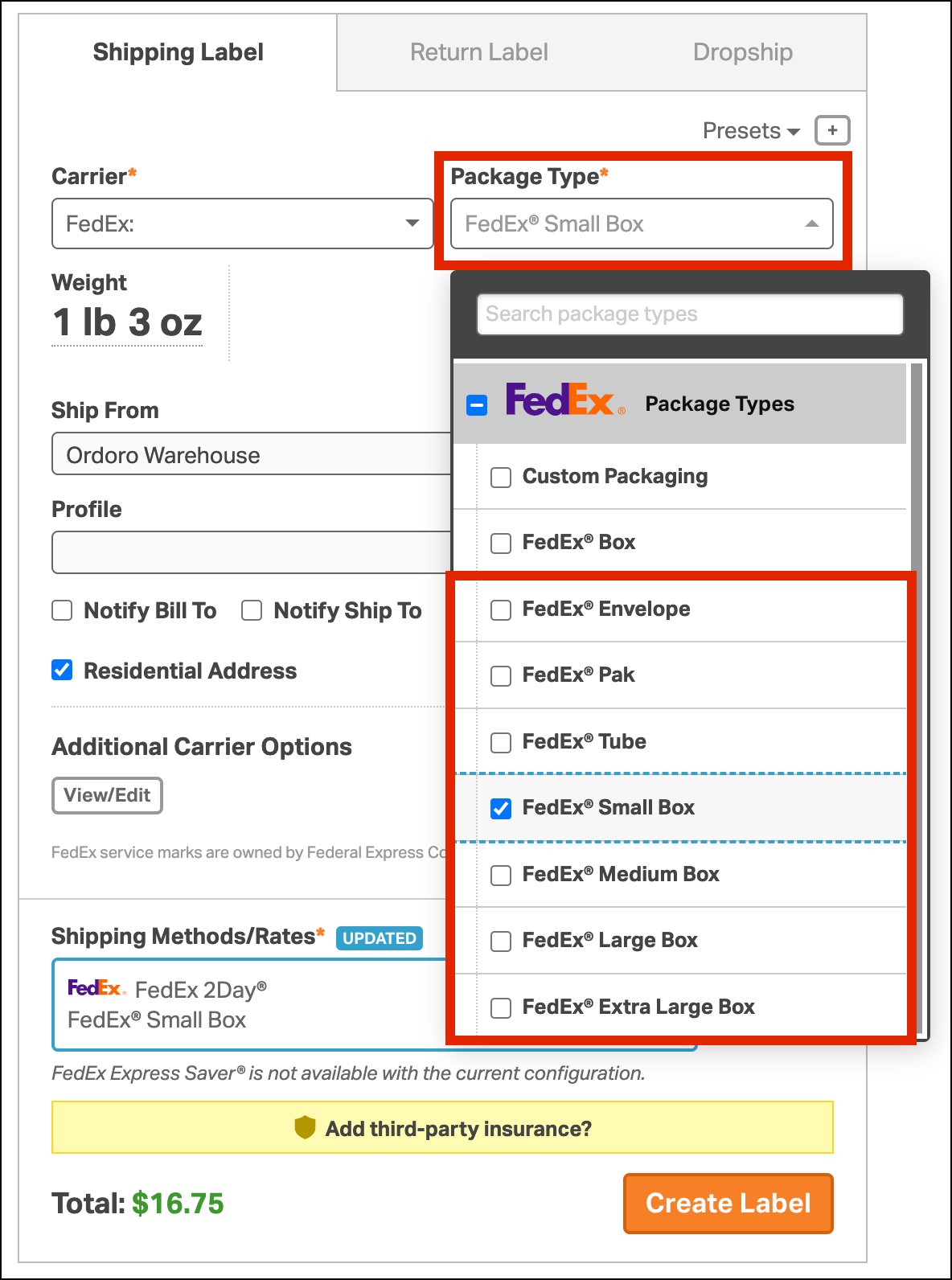
When creating a label in Ordoro, the following package types are eligible for FedEx One Rate:
- FedEx® Envelope
- FedEx® Pak
- FedEx® Tube
- FedEx® Small Box
- FedEx® Medium Box
- FedEx® Large Box
- FedEx® Extra Large Box
Note: If you’re using your own packaging that matches the dimensions of a standard One Rate box, you can also select Custom Packaging. Be sure to enter accurate weight and dimensions.
Using a One Rate-eligible package type does not automatically apply One Rate pricing. These package types can also return standard FedEx rates.
When viewing rates, One Rate options are clearly marked with a purple One Rate badge in the rate popover.

How to create a FedEx One Rate label in Ordoro
- Go to the Orders tab and select the order you want to ship.
- In the Shipping Label panel, choose FedEx as the carrier.
- Select a One Rate–eligible package type from the Package Type dropdown.
- If using your own box, select Custom Packaging and enter the correct weight and dimensions.
- Make sure the shipment weight is over 1 lb and under 50 lbs.
- Click the shipping method to open the Rates popover and view available options.
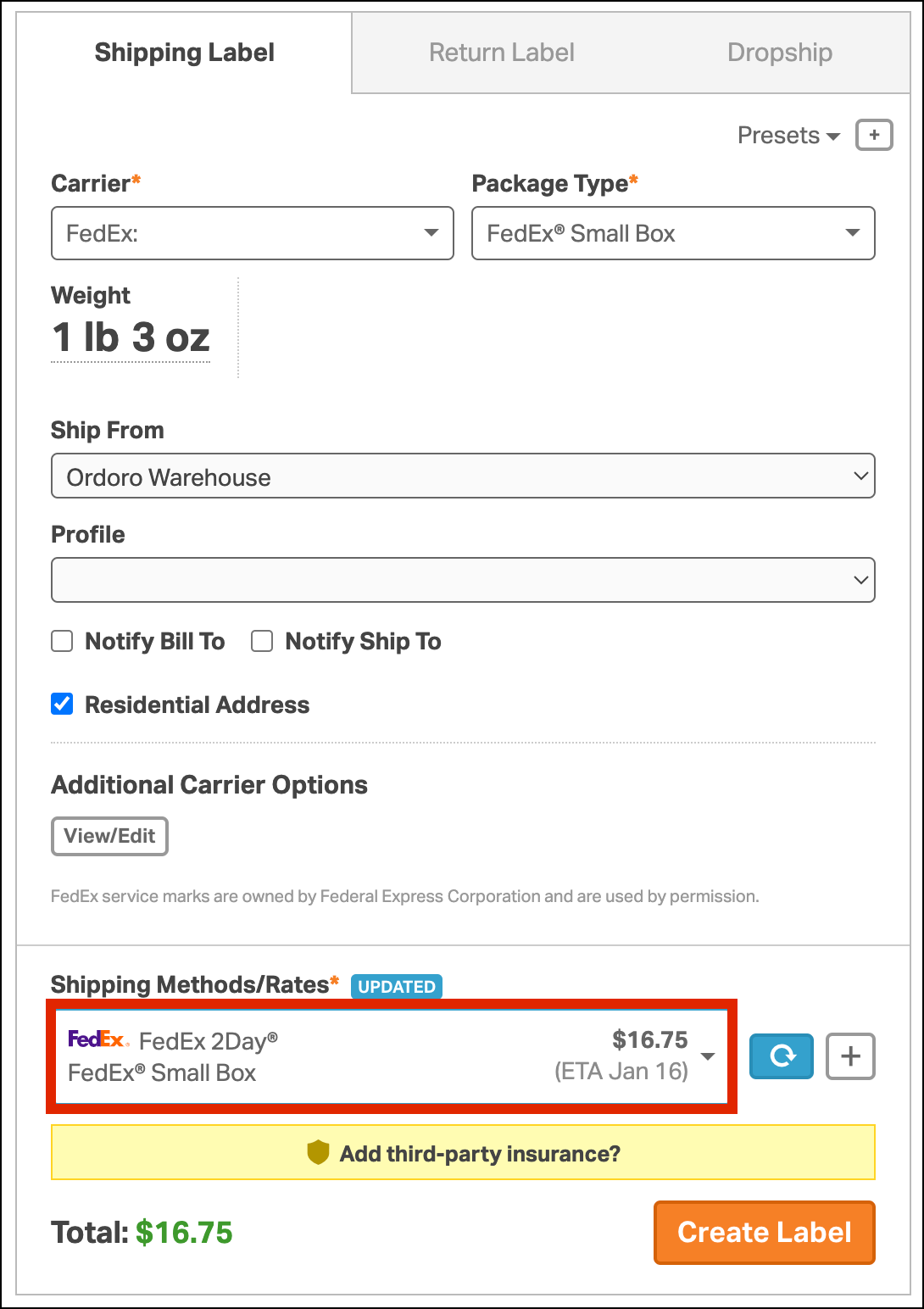
- Select a shipping method that displays the purple One Rate badge.
